Smart home technology has transformed the way we interact with our living spaces, and the best home control devices sit at the heart of that transformation. Whether you are just starting your journey into home automation or looking to upgrade an existing setup, choosing the right controllers, hubs, and smart assistants can make all the difference. This guide covers everything you need to know about the top home control devices available today, from entry-level options for beginners to advanced ecosystems for seasoned smart home enthusiasts. Let us dive deep into what makes each device stand out and how you can build a setup that truly fits your lifestyle.
What Are Home Control Devices and Why Do They Matter?
Home control devices are hardware units that serve as the central command point for your smart home ecosystem. They allow you to manage lighting, climate, security cameras, locks, entertainment systems, and dozens of other connected devices from a single interface. Without a reliable controller or hub, your smart gadgets operate in silos, which defeats the purpose of home automation.
The right home control device brings together fragmented technologies using protocols like Zigbee, Z-Wave, Thread, Matter, Wi-Fi, and Bluetooth. Smart home hubs process commands locally or through cloud services, enabling voice control, scheduling, routines, and real-time monitoring. Investing in a quality controller ensures responsiveness, reliability, and seamless interoperability among devices from different manufacturers.
Best Home Control Devices for Every Skill Level
Not every smart home controller works the same way. The ideal choice depends on your technical comfort, budget, and the ecosystem you prefer. Below is a breakdown of the best home control devices categorized by user experience level.
Best Home Control Devices for Beginners
If you are new to smart home technology, start with a device that requires minimal setup and offers an intuitive app experience. These options deliver instant value without a steep learning curve.
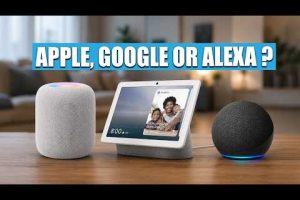
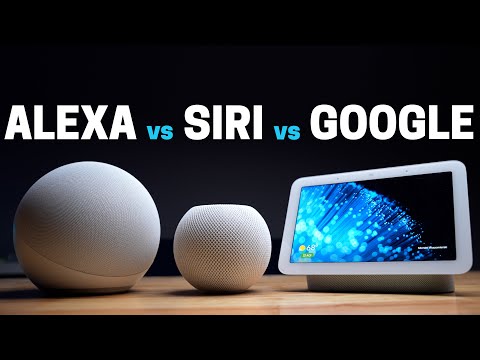
- Amazon Echo (4th Gen) with Alexa: A powerful voice-first controller that supports thousands of smart home devices. Its built-in Zigbee hub means you can connect certain sensors and bulbs directly without a separate bridge.
- Google Nest Hub (2nd Generation): Combines a smart display with Google Assistant, making it easy to manage routines, check camera feeds, and control lights with simple voice or touch commands.
- Apple HomePod Mini: The best choice if you are already invested in the Apple ecosystem. It uses Siri and the Home app to provide tight integration with HomeKit-compatible devices.
Best Home Control Devices for Intermediate Users
Once you have outgrown basic voice assistants and want deeper automation capabilities, intermediate devices offer greater flexibility, local processing, and broader protocol support.
- Samsung SmartThings Station: This compact hub supports Zigbee, Z-Wave, and Matter, making it one of the most versatile controllers available. The SmartThings app lets you build sophisticated automations using conditional triggers.
- Amazon Echo Show 15: Functions as both a smart display and a hub, mounted conveniently on your wall. It runs Alexa routines and can display calendars, to-do lists, and live camera feeds in a sleek form factor.
- Hubitat Elevation C-8: A local-first smart home hub that does not rely on cloud connectivity for most automations. It is ideal for users who want faster response times and enhanced privacy.
Best Home Control Devices for Advanced Users
For power users and DIY enthusiasts, advanced controllers offer complete customization, open-source software support, and the ability to integrate virtually any protocol or device on the market.
- Home Assistant (running on Raspberry Pi or Mini PC): This open-source platform supports over 2,000 integrations and runs entirely locally. It is the gold standard for advanced home control, offering unparalleled automation logic and data analytics.
- Home Assistant Yellow: A purpose-built hardware device from the Home Assistant team, featuring a built-in Zigbee radio, Thread border router, and dual Ethernet ports for a wired, rock-solid smart home backbone.
- Hubitat C-8 with custom drivers: Advanced users can write or install custom device drivers, enabling control of niche or unsupported hardware with precision.
Comparison: Top Home Control Devices Side by Side
The table below compares leading home control devices across key factors such as ecosystem compatibility, protocols, local processing, and price range. This makes it easier to identify the best fit for your specific needs.
| Device | Ecosystem | Protocols | Local Processing | Price Range |
| Amazon Echo (4th Gen) | Alexa | Zigbee, Wi-Fi, BLE | Limited (cloud-dependent) | $70–$100 |
| Google Nest Hub 2nd Gen | Google Home | Wi-Fi, BLE, Thread | Limited | $100–$130 |
| Apple HomePod Mini | HomeKit | Thread, Wi-Fi, BLE | Partial (Siri processing) | $99–$120 |
| Samsung SmartThings Station | SmartThings | Zigbee, Z-Wave, Matter | Yes (automations) | $70–$90 |
| Hubitat Elevation C-8 | Hubitat | Zigbee, Z-Wave, Matter | Full local processing | $130–$160 |
| Home Assistant (DIY) | Universal | Zigbee, Z-Wave, Thread, Matter, Wi-Fi | Full local processing | $50–$150 (hardware) |
As you can see from the comparison, there is no single perfect device for every household. The best home control device for you depends on which ecosystem you prefer, how much you value local processing, and whether you need Matter compatibility for future-proofing your setup.
How to Choose the Best Home Control Device for Your Setup
Selecting the right controller requires careful consideration of several factors. Here is a practical framework to guide your decision.
1. Check Ecosystem Compatibility
If you already use Alexa, Google Home, or Apple HomeKit, stick with a controller that integrates natively. Mixing ecosystems often leads to fragmentation and frustrating troubleshooting. For instance, the Apple HomePod Mini works best with HomeKit devices, while Amazon Echo supports the widest range of third-party integrations.
2. Prioritize Local Processing
Cloud-dependent devices can become unresponsive during internet outages. If you live in an area with unstable connectivity or value privacy, choose a hub like Hubitat or Home Assistant that processes automations locally.
3. Verify Protocol Support
Look for controllers that support multiple smart home protocols. Matter is rapidly becoming the universal standard, but Zigbee and Z-Wave remain widely used. A hub that handles all three gives you maximum flexibility when adding new devices.
4. Consider Form Factor and Placement
Smart displays like the Echo Show 15 or Google Nest Hub serve double duty as control interfaces and information boards. For a more discreet setup, a compact hub like the SmartThings Station blends into any room without drawing attention.
5. Evaluate Future-Proofing
Choose a device that receives regular firmware updates and has an active developer community. The smart home landscape evolves quickly, and your controller should keep pace with new standards like Matter 1.x and Thread.
Expert Tips for Maximizing Your Smart Home Control Setup
Getting the best home control device is only half the battle. Here are expert-level recommendations to ensure your setup performs at its peak.
- Use a wired Ethernet connection for your hub whenever possible. Wi-Fi can introduce latency and dropped commands, especially in larger homes with thick walls.
- Create device groups and rooms within your controller app. This simplifies voice commands and routine creation, so you can say “turn off the living room” instead of managing each bulb individually.
- Set up geofencing routines so your home responds automatically when you arrive or leave. For example, your smart lights and thermostat can adjust when your phone crosses a defined perimeter.
- Enable voice control on multiple devices for redundancy. Having an Echo in the kitchen and a Nest Hub in the bedroom ensures you always have a responsive voice assistant nearby.
- Regularly update firmware on both your hub and connected devices. Updates patch security vulnerabilities and often improve performance and compatibility.
- Start small and expand gradually. Resist the urge to buy everything at once. Build a solid foundation with a quality controller, a few smart bulbs, and a thermostat, then grow from there based on real-world experience.
Frequently Asked Questions
What is the best home control device for a small apartment?
For a small apartment, the Amazon Echo (4th Gen) or Google Nest Hub (2nd Gen) are the best choices. Both are affordable, support a wide range of smart devices, and require minimal setup. If you are in the Apple ecosystem, the HomePod Mini provides excellent control with a clean, privacy-focused design.

Do I need a separate hub if I already have a smart speaker?
It depends. Many modern smart speakers like the Amazon Echo and Google Nest Hub include built-in hubs for Zigbee and Thread devices. However, if you plan to use Z-Wave devices or build complex automations, a dedicated hub like Hubitat or SmartThings Station is highly recommended for reliability and advanced features.
Which home control device offers the best privacy?
Home Assistant running on local hardware offers the strongest privacy because all data processing happens on your own network without cloud dependency. For mainstream options, the Apple HomePod Mini is known for its privacy-first approach, with Siri processing requests on-device and Apple’s strict data-handling policies.
Can I control my home control devices when the internet goes down?

Devices with local processing capabilities, such as Hubitat Elevation C-8 and Home Assistant, continue functioning during internet outages. Voice control will be unavailable without a local network backup, but automations, manual controls through the app, and physical switches will still work normally.
What does Matter support mean for home control devices?
Matter is a universal smart home standard that allows devices from different manufacturers to communicate seamlessly through a single protocol. Home control devices with Matter support future-proof your setup, ensuring compatibility with new devices regardless of the brand. Look for hubs and controllers that advertise Matter certification to take full advantage of this interoperable ecosystem.
Final Thoughts on the Best Home Control Devices
Choosing the best home control device is a deeply personal decision shaped by your existing tech ecosystem, budget, and automation goals. For beginners, a voice assistant like the Amazon Echo or Google Nest Hub provides an effortless entry point. Intermediate users will appreciate the versatility of the Samsung SmartThings Station or Hubitat Elevation C-8, which balance simplicity with powerful automation features. Advanced users should seriously consider Home Assistant for an open-source, fully local, and infinitely customizable smart home experience.
The smart home industry continues to evolve at a rapid pace, and devices that support Matter, Thread, and local processing are positioned to remain relevant for years to come. Start with a solid controller, invest in quality connected devices, and build your automations one routine at a time. The result is a home that not only responds to your commands but anticipates your needs, making daily life more convenient, efficient, and enjoyable.