If you are looking for a seamless way to watch CBS shows, live sports, news, and exclusive original series on your phone, tablet, or smart TV, the CBS Television App is the solution millions of viewers trust every day. This dedicated streaming platform from Paramount Global gives users access to an enormous library of content ranging from fan-favorite dramas like NCIS and Survivor to live NFL football and breaking news coverage. Whether you are a casual viewer who just wants to catch up on the latest CBS episodes or a cord-cutter searching for a full streaming replacement, understanding everything about this app can save you time, money, and frustration. In this comprehensive guide, we will break down the features, setup process, device compatibility, pricing tiers, and expert tips to help you get the absolute most out of the CBS streaming application.
What Is the CBS Television App?
The CBS TV app is a free-to-download application developed by Paramount Global that allows users to stream live CBS broadcasts, on-demand episodes, full seasons of popular shows, and exclusive original content. Originally launched as CBS All Access and later rebranded into the Paramount+ ecosystem, the CBS app has evolved into a powerful standalone and companion streaming tool. It serves as both a standalone streaming destination and a portal for traditional cable subscribers who want to log in and access their provider content.
The app is available on virtually every major platform, including iOS, Android, Roku, Amazon Fire TV, Apple TV, Chromecast, Xbox, PlayStation, and most smart TV brands from Samsung, LG, and Vizio. This wide availability makes it one of the most accessible streaming applications in the industry.
Key Features of the CBS Streaming App
What sets the CBS television app apart from competitors like Hulu, Peacock, and the Disney+ app? Let us look at the standout features that keep users coming back.
Live TV Streaming
One of the biggest draws of the CBS app is the ability to stream live CBS channels in real time. This means you can watch breaking news, award shows, NFL games on CBS Sports, and primetime premieres the moment they air. For sports fans, this is a game-changer, especially during football season when live NFL coverage airs exclusively on CBS in many markets.
On-Demand Library and Catch-Up TV
The app offers an extensive on-demand catalog where you can binge full seasons of current and past CBS shows. Popular titles include The Equalizer, Ghosts, Blue Bloods, S.W.A.T., and classic series from the CBS archive. Episodes are typically available the day after they air on broadcast television.
Paramount+ Exclusive Originals
With the integration of Paramount+, the CBS app now provides access to original series and movies that you cannot find anywhere else. Shows like Star Trek: Strange New Worlds, Halo, and Yellowstone spinoffs are exclusive to this platform.
Multiple User Profiles
The app supports multiple user profiles, allowing families to maintain separate watchlists, recommendations, and viewing history without interfering with each other.
Offline Downloads
Users on mobile devices can download select shows and movies to watch without an internet connection, which is ideal for travel or commuting.
How to Download and Set Up the CBS App

Setting up the CBS Television App is straightforward and takes only a few minutes. Here is a step-by-step walkthrough for the most common devices.
- Navigate to your app store. Open the Apple App Store, Google Play Store, Amazon Appstore, or your smart TV’s built-in app marketplace.
- Search for “CBS” or “CBS TV app.” The official application is published by Paramount.
- Download and install the app by tapping the download button.
- Open the app and choose your subscription tier or select the free option if available in your region.
- Sign in with your TV provider credentials if you want access to live CBS and additional on-demand content from your cable or satellite package.
- Set up your profile and start browsing the catalog.
Expert Tip: If you experience buffering or slow loading, try clearing the app cache or switching to a Wi-Fi connection with at least 5 Mbps speed for standard definition and 25 Mbps for HD streaming.
CBS App vs. Competing Streaming Platforms
When choosing a streaming service, it helps to compare options side by side. The table below highlights how the CBS streaming app stacks up against some of its closest competitors.
| Feature | CBS App (Paramount+) | Hulu | Peacock | Disney+ |
| Live CBS Channels | Yes | No | No | No |
| Free Tier Available | Yes (limited) | No | Yes (limited) | No |
| Live Sports | NFL, Champions League | Limited | NFL, Olympics | No |
| Original Content | Paramount+ Exclusives | Hulu Originals | Peacock Originals | Marvel, Star Wars |
| Starting Price | ~$5.99/mo (ad-supported) | ~$7.99/mo (ad-supported) | ~$5.99/mo (ad-supported) | ~$7.99/mo |
| Device Compatibility | All major platforms | All major platforms | All major platforms | All major platforms |
As you can see, the CBS television app holds a unique position because it is one of the few streaming platforms that offers live CBS broadcast channels, making it especially valuable for viewers who want to keep their local viewing habits intact while adding on-demand flexibility.

Tips and Best Practices for Maximizing the CBS App
Even experienced streamers can miss out on hidden features and optimizations. Here are some practical recommendations to elevate your experience.
- Link your TV provider: Doing so unlocks the full live TV experience and gives you access to thousands of additional on-demand episodes from your cable subscription.
- Enable notifications: Turn on alerts for premieres of your favorite CBS shows so you never miss an episode drop.
- Use the search bar: The CBS app has a powerful search function that lets you find specific episodes, actors, or genres quickly.
- Adjust video quality: In settings, you can manually select resolution to balance data usage against picture quality, especially useful on mobile plans.
- Explore the kids section: The app includes a dedicated children’s section with age-appropriate content from CBS and Nickelodeon libraries.
- Check for free previews: Paramount and CBS periodically offer free trials and preview events for new shows, so keep an eye on the home screen for limited-time offers.
Device Compatibility and Supported Platforms
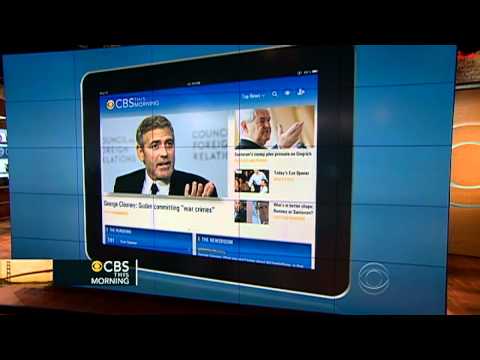
The CBS streaming app is designed to work across an impressively broad range of devices. Here are the key supported platforms:
- Mobile: iOS 15.0 and later, Android 8.0 and later
- Smart TVs: Samsung Tizen, LG webOS, Android TV, Google TV
- Streaming Sticks/Boxes: Roku, Amazon Fire TV Stick, Apple TV 4K, Chromecast with Google TV
- Gaming Consoles: Xbox One, Xbox Series X/S, PlayStation 4, PlayStation 5
- Web Browser: Accessible via cbs.com on Chrome, Safari, Firefox, and Edge
This broad compatibility ensures that you can watch CBS content on whatever device you prefer, whether that is a large 4K television in your living room or a phone screen during your morning commute.
Conclusion
The CBS Television App is far more than just a way to watch broadcast television on your schedule. It is a feature-rich, versatile streaming platform that combines live CBS channels, a deep on-demand library, and exclusive Paramount+ originals into one cohesive experience. Whether you are a longtime CBS fan who grew up watching Murder, She Wrote or a new viewer discovering the latest season of Tracker, this app delivers quality content with an intuitive interface. By following the setup tips and best practices outlined in this guide, you will be well on your way to mastering every aspect of the CBS streaming experience.
Frequently Asked Questions
1. Is the CBS Television App free to use?
Yes, the CBS app offers a free tier that provides limited access to select episodes, clips, and live streams. However, full access to the on-demand library and live CBS channels typically requires a cable TV login or a Paramount+ subscription.
2. Can I watch CBS live without a cable subscription?
Yes, with a Paramount+ subscription, you can watch live CBS channels without a traditional cable login. The ad-supported tier at $5.99 per month includes live streaming of CBS and access to a large portion of the on-demand catalog.
3. What devices support the CBS streaming app?
The CBS app supports a wide range of devices including iPhones, Android phones, iPads, Roku devices, Amazon Fire TV, Apple TV, Chromecast, Samsung and LG smart TVs, Xbox, PlayStation, and web browsers on desktop computers.
4. How often is new content added to the CBS app?
New episodes of current CBS series are typically added the day after they air on broadcast television. The app also regularly updates its on-demand library with full past seasons and new Paramount+ original releases on a weekly or monthly basis.
5. Can I download shows from the CBS app for offline viewing?
Yes, the CBS app supports offline downloads on mobile devices. You can download select episodes and movies over Wi-Fi and watch them later without an internet connection, which is especially useful for travel or areas with limited connectivity.
6. How does the CBS app handle video quality and streaming resolution?
The CBS streaming app automatically adjusts video quality based on your internet connection speed. You can also manually adjust resolution in the app settings, with options ranging from standard definition up to 4K Ultra HD on supported devices and Paramount+ tiers.