


Amazon home automation with Alexa has fundamentally transformed the way millions of people interact with their living spaces. What once felt like a futuristic concept — adjusting lighting, regulating thermostat temperatures, locking front doors, and playing music throughout the house using nothing but your voice — is now an everyday reality for homeowners worldwide. At the heart of this revolution sits Amazon’s Alexa, a powerful voice assistant that serves as the central nervous system of an entire smart home ecosystem. Whether you are a curious beginner exploring your first smart plug or a seasoned tech enthusiast managing dozens of interconnected devices, understanding how Amazon home automation with Alexa works can dramatically improve your comfort, security, and energy efficiency. This comprehensive guide walks you through everything from foundational setup to advanced automation strategies that will elevate your smart home experience to the next level.
What Is Amazon Home Automation with Alexa?
Amazon home automation with Alexa refers to the use of Amazon’s voice-controlled artificial intelligence platform to manage, coordinate, and automate various smart devices within a household. Alexa acts as the bridging layer between your smartphone, your Wi-Fi network, and an extensive catalog of compatible smart home products. From smart bulbs and smart speakers to security cameras and kitchen appliances, Alexa provides a unified interface through which users can issue voice commands, schedule automated tasks, and create complex conditional routines that respond to triggers like time of day, sensor input, or even the arrival of a family member at the door.
How Alexa Powers Your Smart Home Ecosystem
Alexa’s strength as a home automation platform lies in its remarkable compatibility, cloud-based processing power, and continuous expansion of features. Unlike standalone smart devices that operate in isolation, Alexa-connected gadgets communicate with each other through Amazon’s cloud infrastructure, enabling coordinated behavior that makes your home genuinely intelligent.
Core Alexa Devices and Hardware
To build a robust Amazon smart home, you need a solid hardware foundation. The following devices form the backbone of most Alexa-driven automation setups:
- Amazon Echo Dot — A compact, budget-friendly smart speaker ideal for rooms where minimal setup is desired. It delivers solid voice recognition and serves as an excellent entry point for Alexa home automation setup.
- Amazon Echo (4th Gen) — The flagship smart speaker with improved audio quality and a built-in smart home hub that connects to Zigbee-compatible devices directly, reducing Wi-Fi congestion.
- Amazon Echo Show — A screen-enabled device that adds visual feedback to voice commands, allowing you to view security camera feeds, follow recipes, and control video doorbells.
- Amazon Echo Studio — Designed for audio enthusiasts, this device supports Dolby Atmos and acts as a premium smart speaker for multi-room audio synchronization.
- Amazon Smart Hubs — Dedicated hubs like the Echo (4th Gen) function as a Matter and Zigbee bridge, enabling seamless communication between devices that use different wireless protocols.
Setting Up Your Amazon Smart Home for Beginners
Starting your Alexa home automation journey does not require an engineering degree. Amazon has streamlined the setup process to be intuitive enough for anyone comfortable with downloading an app and connecting to Wi-Fi. Here is a practical roadmap to get you started without feeling overwhelmed.
Essential Smart Devices to Start With
Rather than purchasing every compatible gadget at once, begin with a curated selection of devices that deliver the highest daily impact:
- Amazon Echo Dot — Your primary voice assistant and command center.
- Smart LED Bulbs — Brands like Philips Hue, LIFX, or Wyze Bulb let you control color, brightness, and scheduling through Alexa.
- Smart Plug — Devices from TP-Link Kasa or Wemo allow you to convert ordinary lamps and appliances into Alexa-controlled electronics.
- Smart Thermostat — Ecobee and Amazon’s own Smart Thermostat integrate deeply with Alexa for voice-controlled climate management.
- Smart Door Lock — Products from August or Ring let you lock and unlock your door from bed or while away from home.
Once you have these devices, download the Alexa app on your smartphone, connect each gadget to your Wi-Fi network, and link them to your Alexa account. The process typically takes under five minutes per device, and Amazon’s guided walkthrough makes troubleshooting straightforward.
Intermediate Smart Home Automation Strategies
Once your basic setup is operational, you unlock a new tier of functionality that moves beyond simple voice commands into true automation. This is where Amazon home automation with Alexa starts to feel genuinely impressive.
Mastering Alexa Routines and Scenes

Alexa Routines are arguably the most powerful feature for everyday smart home users. A routine allows you to trigger a sequence of actions with a single voice command, a schedule, or a sensor event. For example, saying “Alexa, good morning” could simultaneously:
- Turn on kitchen lights at 50% brightness
- Start brewing coffee through a smart plug
- Read your calendar and weather forecast aloud
- Unlock the front door if you have a compatible lock
- Play your preferred news briefing through the Echo Show

Scenes, on the other hand, group device states together so that a single command adjusts multiple products at once. You might create a “Movie Night” scene that dims all lights, turns on ambient LED strips, and lowers smart blinds — all triggered by telling Alexa you want to watch a film.
Integrating Third-Party Smart Devices and Services
One of Alexa’s greatest advantages is its open ecosystem. Beyond Amazon’s own hardware, the platform supports thousands of third-party products and services, including:
- Ring and Blink cameras for enhanced security monitoring
- iRobot Roomba vacuums that begin cleaning when you leave home
- Smart irrigation systems like Rachio that adjust watering based on local weather data
- Netflix, Spotify, and Audible for entertainment control through voice
- Smart garage doors from Chamberlain for automated vehicle entry
The key is visiting the Alexa app’s “Skills & Games” section, where you can discover and enable integrations that extend Alexa’s reach across virtually every room in your home.
Advanced Alexa Home Automation Techniques
For users who want to push the boundaries of what their Amazon smart home can accomplish, several advanced strategies separate a basic setup from a truly intelligent home.
Custom Alexa Skills and Multi-Room Audio
Amazon allows developers to build custom Alexa Skills that add specialized functionality. While most home users rely on published skills, power users can explore community-built skills for niche automations like monitoring energy usage, triggering home theater configurations, or managing pet feeding schedules. Additionally, multi-room audio setup lets you group Echo devices by room or zone, enabling synchronized music playback throughout the entire house or independent music in each space — a feature that transforms entertaining guests.
Using Sensor Triggers and Geolocation
Advanced automation leverages conditional logic. Smart sensors — motion detectors, door/window sensors, water leak detectors, and temperature sensors — can serve as triggers for Alexa routines. For instance, a motion sensor detecting movement in the hallway at 11 PM could automatically turn on a nightlight and lock all doors. Geolocation features, when enabled through the Alexa app on your phone, allow your smart home to detect when you are approaching or leaving, triggering routines like “coming home” or “away mode” that adjust lighting, climate, and security settings automatically.
Alexa vs Other Smart Home Platforms: A Comparison
Choosing the right smart home platform is a critical decision. Below is a detailed comparison of Amazon Alexa against Google Home and Apple HomeKit to help you make an informed choice.
| Feature | Amazon Alexa | Google Home | Apple HomeKit |
| Smart Device Compatibility | Extensive; supports 100,000+ devices | Strong; wide compatibility with Google ecosystem | Limited but premium; strict certification |
| Voice Recognition | Excellent, especially in noisy environments | Very good with natural language understanding | Good, optimized for Apple device users |
| Routines and Automation | Highly flexible with multiple triggers | Good, strong contextual awareness | Basic but reliable and secure |
| Privacy Controls | Adjustable; microphone off button and delete history | Adjustable; activity controls available | Industry-leading with end-to-end encryption |
| Multi-Room Audio | Excellent with Echo lineup | Strong with Nest speaker lineup | Solid with HomePod and compatible speakers |
| Price Range | $20 – $400+ | $30 – $300+ | $100 – $400+ |
Expert Tips for Optimizing Your Amazon Smart Home
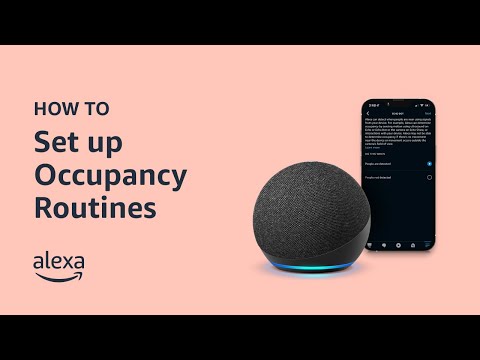
To get the most out of Amazon home automation with Alexa, consider these practical recommendations from experienced smart home users and industry professionals:
- Prioritize Zigbee and Matter devices — Choosing products that connect through Zigbee or the emerging Matter protocol reduces Wi-Fi network congestion and improves response times. The Echo (4th Gen) serves as a built-in Zigbee hub, eliminating the need for a separate bridge in many cases.
- Use descriptive device names — Name your devices clearly (e.g., “Living Room Lamp” instead of “Device 12”) so Alexa can accurately identify and control them, especially in multi-device households.
- Set up a guest network — Isolating smart home devices on a separate Wi-Fi network enhances security and prevents IoT traffic from interfering with streaming and browsing.
- Leverage Alexa Guard — This feature listens for smoke alarms, carbon monoxide alerts, and broken glass sounds while you are away, sending notifications directly to your phone.
- Schedule firmware updates — Regularly check for device updates within the Alexa app to ensure optimal performance, security patches, and access to new features.
- Explore Alexa together mode — For families, this feature allows multiple household members’ voices to be recognized, enabling personalized responses, calendars, and music profiles on shared devices.
Frequently Asked Questions
1. Can I control my Amazon smart home with Alexa when I am away from home?
Yes. As long as your Alexa devices and smart gadgets are connected to the internet, you can control them remotely through the Alexa app on your smartphone. Features like Alexa Guard also monitor your home for security events while you are away, and geolocation-based routines can trigger automatically when your phone reaches a certain distance from your house.
2. What is the difference between Alexa routines and Alexa scenes?
Scenes control the state of multiple devices simultaneously with a single command — for example, dimming lights and turning on a fan. Routines are more powerful because they can include multiple actions triggered by time, sensor input, or voice commands, and they can even send notifications or make phone calls as part of the sequence. Think of scenes as snapshots and routines as full automated workflows.
3. How many smart devices can Alexa handle at once?
Amazon does not publish a strict limit, but most users successfully manage between 20 and 100 devices in a single household. Performance depends on your Wi-Fi network capacity, the protocols your devices use, and the complexity of your routines. Using Zigbee or Matter-compatible devices and a dedicated smart home hub can significantly improve scalability.
4. Is Amazon home automation with Alexa safe from hackers?
Amazon employs robust encryption and security protocols, but no internet-connected system is entirely immune to risk. Best practices include using strong, unique passwords, enabling two-factor authentication on your Amazon account, placing smart devices on a separate network, and regularly updating firmware. Alexa also supports a physical microphone off button on every Echo device for added peace of mind.
5. Can I use Alexa for home automation without buying an Amazon Echo device?
Not directly. Alexa requires an Echo device, Echo Show, or a compatible third-party Alexa voice service product to function as the local interface. However, some smart devices come with built-in Alexa support and can be controlled through the Alexa app even without a dedicated Echo speaker, though you lose the convenience of voice commands in the room.
6. What are the best Alexa-compatible smart home devices for energy savings?
The top picks for energy-conscious homeowners include the Amazon Smart Thermostat, smart plugs with energy monitoring like the TP-Link Kasa KP125M, smart LED bulbs from Philips Hue, and smart power strips. When combined with Alexa routines that automatically adjust settings based on schedules and occupancy, these devices can reduce household energy consumption by 15 to 30 percent annually.
Conclusion
Amazon home automation with Alexa represents one of the most accessible, versatile, and powerful smart home ecosystems available today. Whether you are automating a single room or orchestrating an entire intelligent household, Alexa provides the tools, compatibility, and scalability to match your ambition. From foundational setups that answer basic voice commands to advanced routines powered by sensors and geolocation, the platform grows with you as your comfort and expertise deepen. By following the beginner, intermediate, and advanced strategies outlined in this guide, you can build a smart home that genuinely simplifies daily life, enhances security, and reduces energy waste — all from the comfort of your couch or the simplicity of your voice.