


If you are looking to transform your living space into a seamless, voice-controlled environment, the Alexa home system remains one of the most compelling ecosystems you can adopt. Far beyond just a smart speaker, Amazon’s Alexa ecosystem has evolved into a comprehensive smart home infrastructure that connects thousands of devices under one unified platform. Whether you are starting with a single smart bulb or orchestrating an entire connected home, understanding the nuances of this ecosystem is crucial for making the right investment. The Alexa home system is not just about convenience; it is about creating an ambient, responsive living space that adapts to your daily rhythms and simplifies the mundane tasks of modern life.
Understanding the Alexa Home System Architecture
At its core, the Alexa home system refers to the network of Amazon Echo devices, smart home accessories, and the software infrastructure that facilitates voice control and automation. Unlike standalone smart devices that require separate apps for every gadget, Alexa acts as the central hub—or virtual concierge—that ties your lights, locks, thermostats, and entertainment systems together. The real power lies in its ability to process natural language commands and execute complex routines automatically, turning your home into an intelligent space rather than just a connected one. By leveraging local processing and cloud computing, the system ensures your commands are executed swiftly and accurately.
The Evolution of Alexa as a Smart Home Hub
Originally, Alexa was a cloud-based voice assistant that relied entirely on Wi-Fi for every command. Today, the Alexa home system has integrated local processing capabilities and native Matter protocol support. This means devices can communicate directly without relying on the cloud, drastically reducing latency and improving reliability. For homeowners, this evolution translates to faster responses, better privacy, and a more resilient network that functions even during internet outages. The addition of the Matter standard means the Alexa ecosystem is no longer siloed.
Building Your Alexa Home System From Scratch
Starting an Alexa home system can feel overwhelming given the sheer volume of compatible devices on the market. However, by approaching the build strategically, you can create an ecosystem that scales gracefully without breaking the bank or overwhelming your router’s bandwidth. The key is to prioritize interoperability and focus on devices that offer deep integration with Alexa routines. Whether you are automating a single apartment or managing a multi-story house, laying the groundwork correctly ensures your smart home functions reliably for years to come.
Essential Hardware Components for Your Setup
- Echo Devices: The brain of the operation. The Echo Dot is perfect for bedrooms, while the Echo Studio or Echo Show serves as the living room centerpiece for high-fidelity audio and visual feedback.
- Smart Plugs: The easiest entry point. Plug in lamps or fans to make any dumb device voice-controllable and schedulable.
- Smart Lighting: Philips Hue or LIFX bulbs allow for color changing and precise dimming, creating instant ambiance for movie nights or reading.
- Smart Locks & Security: August or Ring devices integrate seamlessly, letting you secure your home, grant temporary access, and monitor activity with voice commands.
- Matter-Compatible Devices: Always look for the Matter logo when purchasing new gadgets. This ensures cross-platform compatibility and future-proofs your investment against ecosystem lock-in.
Step-by-Step Setup Process for Beginners
- Connect your Echo to Wi-Fi: Use the Alexa app on your smartphone to pair the device with your home network. Ensure you place the device centrally for optimal microphone pickup.
- Group devices by room: In the app settings, assign your smart bulbs, plugs, and sensors to specific rooms for easier voice control and management.
- Link third-party skills: Navigate to the Skills & Games section to connect your smart lock, thermostat, and security camera brands to the Alexa ecosystem.
- Test voice commands: Start with simple commands like “Turn off the living room lights” before moving to complex, multi-step routines that require conditional logic.
Advanced Automation: Making Alexa Work For You
Once the basics are in place, the true value of an Alexa home system emerges through advanced automation. Routines are the secret weapon of experienced users, allowing you to trigger a cascade of actions with a single voice command, a scheduled time, or a sensor trigger. Instead of manually turning off every light and locking the door at night, you can create a “Goodnight” routine. When triggered, Alexa will dim the lights, arm the security system, set an alarm, enable Do Not Disturb, and adjust the thermostat. The key is thinking in triggers, conditions, and actions.
Designing Smart Home Routines
The beauty of Alexa routines lies in their flexibility. You can set an “All Day” routine where lights gradually brighten in the morning to simulate a sunrise, or a “Movie Night” routine that dims the living room lights and turns on the TV soundbar. You can also use Alexa Guard, which listens for specific sounds like smoke alarms or breaking glass while you are away, providing an extra layer of security without active monitoring.

Expert Tips for Peak Performance and Reliability
- Utilize built-in Zigbee hubs: The Echo Plus and Echo 4th Gen have built-in Zigbee hubs, allowing you to connect smart devices directly without requiring a separate bridge.
- Create routines based on geofencing: Set Alexa to trigger your “Welcome Home” routine automatically when your phone connects to your home Wi-Fi, ensuring lights and thermostat adjust before you walk in.
- Optimize voice profiles: Register individual voices so Alexa can personalize responses and restrict sensitive actions, like unlocking smart doors, to specific household members.
- Rename devices for better recognition: Use simple, distinct names for your devices. Instead of “Living Room Lamp 1,” use “Lamp” and group them by room to reduce voice command confusion.
How Alexa Compares to Other Smart Home Ecosystems
While Alexa dominates the smart home space with vast device compatibility, it is not the only option available. Choosing the right ecosystem depends heavily on your existing tech stack and privacy requirements. Below is a detailed comparison of the major smart home platforms to help you decide if the Alexa home system is right for you.
| Feature | Alexa Home System | Google Home | Apple HomeKit |
| Voice Assistant | Alexa | Google Assistant | Siri |
| Device Compatibility | Extensive; 100,000+ devices | Wide; strong Nest integration | Limited but premium |
| Matter Support | Yes, robust native support | Yes, full integration | Yes, native support |
| Local Processing | Growing with Eero + Echo | Limited cloud reliance | Strong with HomePod |
| Best For | Budget-friendly, vast integrations | Android/Google power users | Privacy-focused Apple users |
Keeping Your Alexa Home System Secure and Reliable
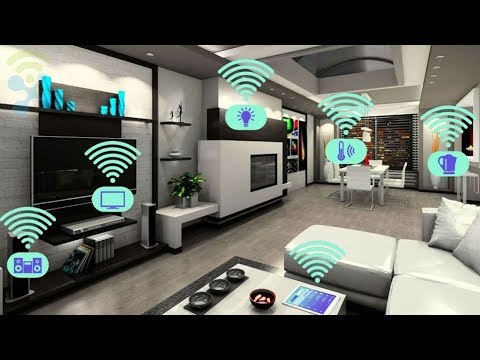
A smart home is only as good as its security and stability. Because Alexa connects to your network and controls physical access to your home—like smart locks and garage doors—taking digital security seriously is non-negotiable. A compromised smart home hub can expose your personal data and physical safety. Here are the most critical steps to ensure your Alexa home system remains safe, private, and operates without interruption.
Network Security Best Practices
- Create a separate IoT network: Most modern routers allow you to set up a guest network. Place all smart home devices on this network to isolate them from personal computers, preventing lateral movement if one device is compromised.
- Enable two-factor authentication: Protect your Amazon account with 2FA. This prevents unauthorized users from unlocking smart locks or disabling security cameras remotely.
- Review voice recordings regularly: Periodically delete your Alexa voice history or opt-out of audio logging to maintain strict privacy over your daily habits and personal conversations.
Troubleshooting Common Connectivity Issues
If a smart plug or light becomes unresponsive, do not immediately assume the device is faulty. Intermittent connectivity is often a symptom of a weak Wi-Fi signal or IP address conflicts. Placing your Echo device closer to the problem device or assigning static IP addresses through your router can resolve these issues instantly. Ensure your router firmware is up to date, as outdated software often causes device dropouts.
The Future of the Alexa Home System
Amazon continues to push the boundaries of ambient computing and artificial intelligence. The introduction of the Matter protocol is a game-changer, eliminating the fragmentation that plagued the smart home industry for years. In the near future, we can expect Alexa to leverage on-device AI more aggressively, reducing reliance on cloud servers and making smart home actions instantaneous. The next generation of Alexa home systems will likely integrate contextual awareness, anticipating your needs based on location, time of day, and biometric data from wearable devices like smartwatches.
Final Thoughts on Building Your Alexa Ecosystem
The Alexa home system offers an unparalleled blend of affordability, device compatibility, and automation depth. Whether you are a beginner simply looking to voice-control a few lamps or an advanced user orchestrating a fully automated, multi-room entertainment and security setup, the ecosystem provides the tools necessary to succeed. By starting with essential hardware, diving deep into routines, and maintaining strict security protocols, you can build a smart home that genuinely enhances your daily life. Start small, think big, and let Alexa handle the heavy lifting.
Frequently Asked Questions About Alexa Home Systems
What is the best Echo device for starting an Alexa home system? The Echo Dot (5th Gen) is the most cost-effective entry point for beginners, offering excellent sound quality and a built-in Zigbee hub for under $50. For larger spaces like living rooms, the Echo 4th Gen provides superior room-filling audio and acts as a more robust hub for connecting multiple Zigbee sensors and devices simultaneously.
Can you use Alexa without a smart home hub? Yes, for Wi-Fi-based devices like smart plugs and standard light bulbs, you do not need a separate hub. However, for Zigbee or Z-Wave devices, you will need an Echo device with a built-in hub or a separate smart home bridge to connect those peripherals to your Alexa home system effectively.
Is the Alexa home system compatible with Apple HomeKit devices? Direct native integration is historically limited, but you can now use Matter-compatible Apple HomeKit devices within the Alexa ecosystem. Once a device supports the Matter protocol, it bridges the gap, allowing you to control HomeKit accessories via Alexa voice commands and automated routines seamlessly.
How does Alexa handle smart home security and privacy? Amazon has implemented several layers of security within the Alexa home system, including voice profiles that recognize individual household members and two-factor authentication for account logins. Additionally, you can review, delete, or opt-out of your voice recordings through the Alexa app settings to ensure your home automation data remains strictly private.
What happens to the Alexa home system if the internet goes down? With recent updates emphasizing edge computing and local processing, certain routines and basic controls continue to function even without an internet connection, particularly when using Zigbee-connected devices through an Echo hub. However, cloud-dependent features like streaming music, fetching weather updates, or accessing external APIs will be temporarily unavailable until connectivity is restored.