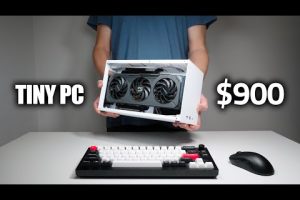
When you’re searching for the best PCs in 2024 and beyond, the sheer number of options available can feel overwhelming. Whether you’re a college student hunting for a budget-friendly machine, a creative professional who needs raw rendering power, or a competitive gamer chasing buttery-smooth frame rates, the right desktop computer can transform your entire workflow. The truth is, there’s no single “best PC” — only the best machine for your specific needs. In this comprehensive guide, we break down the top-rated desktop computers across every budget and use case, highlight the critical specs you should be comparing, and give you actionable buying advice that cuts through the marketing noise. Let’s dive in.
Best PCs for Every Budget and Use Case
Before we list specific models, it helps to categorize what “best” means for different types of users. A $700 office PC and a $3,500 content creation workstation share very little in common, yet both could be the right choice for someone. Here are the top-performing desktop computers we recommend across three major categories.
Best Budget PC: Acer Aspire TC
If you’re building or buying a best budget PC, the Acer Aspire TC delivers exceptional value. It features an AMD Ryzen 5 processor, 8GB of DDR4 RAM, a 512GB NVMe SSD, and integrated Radeon graphics — all for under $600. It handles everyday productivity, web browsing, light photo editing, and casual gaming without breaking a sweat. The modular design also makes future upgrades straightforward, which is a huge plus for beginners.
Best Mid-Range PC: Dell Inspiron 3880
The Dell Inspiron 3880 sits in the sweet spot for users who want reliable performance without overspending. With an Intel Core i5-13400 processor, 16GB of RAM, and a 1TB SSD, this machine excels at multitasking, moderate gaming, and professional workloads like video conferencing and spreadsheet-heavy tasks. It’s one of the most popular desktop computers for home office setups, and for good reason.
Best High-End PC: Custom-Built Intel/AMD Workstation
For power users, the best approach is often building a custom gaming PC or workstation. Pairing an AMD Ryzen 7 7800X3D or Intel Core i7-14700K with 32GB of DDR5 RAM, an NVIDIA RTX 4070 Ti or higher graphics card, and a 2TB NVMe SSD gives you a machine that handles 4K video editing, AAA gaming at max settings, 3D rendering, and streaming — all simultaneously. Brands like Maingear, Origin PC, and NZXT also offer excellent pre-built options if you’d rather skip the assembly process.
Key Specs That Matter When Choosing the Best Desktop Computer
Not all PC specifications carry equal weight, and understanding what actually matters can save you money and prevent buyer’s remorse. Here’s what you should focus on:
Processor (CPU)
The CPU is the brain of your computer. For everyday use, an AMD Ryzen 5 or Intel Core i5 is more than sufficient. Content creators and heavy multitaskers should look at Ryzen 7 or Intel Core i7. Professionals running simulations, machine learning workloads, or 4K rendering will benefit most from Ryzen 9 or Intel Core i9 chips.
Memory (RAM)
8GB is the bare minimum in 2024, but 16GB is the true sweet spot for most users. If you work with large datasets, run virtual machines, or edit video, aim for 32GB or more. RAM speed and dual-channel configuration also impact performance more than most people realize.
Storage
Always prioritize an NVMe SSD over a traditional hard drive. A 512GB SSD is the practical minimum, but 1TB or 2TB gives you room for games, media libraries, and project files without constantly managing space. Some setups benefit from combining a fast SSD for the operating system with a larger HDD for bulk storage.
Graphics Card (GPU)
If you’re buying a best gaming PC, the GPU matters most. NVIDIA’s RTX 4060, 4070, and 4080 series currently dominate the market with excellent ray tracing performance and DLSS upscaling. AMD’s Radeon RX 7600 and 7800 XT offer strong competition at lower price points. For non-gaming use, integrated graphics from modern processors handle most tasks just fine.
Comparison Table: Top Recommended PCs

| PC Model | Price Range | Best For | Processor | RAM | Storage |
| Acer Aspire TC | $500–$650 | Budget everyday use | AMD Ryzen 5 | 8GB DDR4 | 512GB NVMe SSD |
| Dell Inspiron 3880 | $700–$900 | Home office / students | Intel Core i5-13400 | 16GB DDR4 | 1TB SSD |
| Lenovo IdeaCentre K290 | $650–$850 | Compact performance | Intel Core i5 | 16GB DDR4 | 512GB SSD |
| Custom Ryzen Build | $1,200–$2,000 | Gaming / creative work | AMD Ryzen 7 7800X3D | 32GB DDR5 | 2TB NVMe SSD |
| Custom Intel Build | $1,500–$2,500 | 4K editing / streaming | Intel Core i7-14700K | 32GB DDR5 | 2TB NVMe SSD |
Expert Tips for Finding the Best PC for You
Buying a computer shouldn’t be a guessing game. Here are some practical recommendations from seasoned PC enthusiasts and professionals that will help you make a smarter decision.
- Define your primary use case before shopping. If 90% of your computing involves email, streaming, and document editing, you don’t need a $2,000 gaming rig. Match the machine to the work.
- Prioritize SSD storage and sufficient RAM. These two components have the biggest impact on day-to-day responsiveness. A fast processor paired with a slow hard drive will still feel sluggish.
- Consider upgrade potential. Choose a case and motherboard that allow future RAM and storage upgrades. A PC that can grow with your needs saves money long-term.
- Don’t overlook the power supply and cooling. A quality 650W or 750W PSU from a reputable brand and adequate case airflow prevent thermal throttling and extend component lifespan.
- Read real user reviews, not just manufacturer specs. Websites like PCPartPicker, Tom’s Hardware, and Reddit’s r/buildapc offer unfiltered feedback that reveals real-world performance and potential issues.
Common Mistakes to Avoid When Buying a Desktop Computer
- Overpaying for a brand name without getting better components in return.
- Buying a pre-built PC with a weak power supply that limits future upgrades.
- Ignoring the operating system licensing cost if buying a barebones system.
- Choosing the cheapest option that barely meets minimum requirements — this leads to frustration within a year or two.
- Falling for unnecessary RGB lighting and “gaming aesthetics” that don’t improve actual performance.
Frequently Asked Questions (FAQs)

What is the best PC for home use in 2024?
The Dell Inspiron 3880 and Lenovo IdeaCentre K290 are excellent choices for home use. Both offer 16GB of RAM, SSD storage, and capable processors for everyday tasks, streaming, and light gaming at very reasonable prices. If you want a step up in performance, a custom-built AMD Ryzen 5 system provides even more longevity and flexibility.
How much should I spend on a good PC?
A solid, reliable desktop computer costs between $600 and $1,000 for most users. Budget-conscious buyers can find capable machines around $500, while power users who need top-tier gaming or content creation performance should expect to invest $1,500 or more. The key is matching the price to your actual workload rather than chasing the most expensive option.
Is it better to buy a pre-built PC or build one yourself?
Pre-built PCs save time and come with warranties and support, making them ideal for beginners. Custom-built PCs offer better component selection, upgrade flexibility, and often better value per dollar. If you’re comfortable following a build guide or watching a tutorial, assembling your own computer is a rewarding experience that gives you full control over quality and performance.
What makes a PC the “best” for gaming?
The best gaming PCs feature a dedicated NVIDIA or AMD graphics card with at least 8GB of VRAM, a modern multi-core processor, 16GB of RAM minimum, and fast NVMe storage. Cooling is equally important — sustained gaming performance depends on maintaining stable temperatures. A well-ventilated case and quality fans can make a bigger difference than many buyers expect.
How long should a good desktop computer last?
A well-built desktop computer with a quality motherboard, adequate RAM, and a modern processor should last 5 to 8 years with periodic upgrades. Swapping out the GPU every 3 to 4 years and adding more RAM when workloads increase keeps even older systems feeling relevant. The beauty of desktop PCs is that you can replace individual components instead of replacing the entire machine.
Final Thoughts on Finding the Best PCs for Your Needs
The best desktop computer for you ultimately depends on what you plan to do with it, how much you’re willing to spend, and whether you prefer the convenience of a pre-built system or the satisfaction of building something yourself. The recommendations in this guide span every price point and use case, from budget-friendly office machines to powerhouse workstations that crush any demanding task. Focus on the specs that matter for your workflow, invest in quality components where it counts, and always leave room for future upgrades. The right PC isn’t just a purchase — it’s a long-term investment in your productivity, creativity, and entertainment. Choose wisely, and your machine will reward you for years to come.