If you are searching for the best PC for gaming in 2024 and beyond, you have come to the right place. Building or buying a gaming computer is one of the most exciting investments a player can make, yet the sheer volume of options, components, and configurations can feel overwhelming. Whether you are a casual gamer looking for smooth 1080p performance or a hardcore enthusiast chasing 4K ray tracing at 144Hz, this guide breaks down everything you need to know. We cover hardware recommendations, budget tiers, pre-built options, and expert tips to help you find the perfect gaming rig that matches your needs and wallet.
What Makes a PC Great for Gaming?
Understanding the core components that drive gaming performance is essential before you spend a single dollar. A gaming PC is not just about raw speed — it is about balance across several critical subsystems.
The CPU: Your System’s Brain
The processor handles game logic, physics calculations, AI behavior, and background tasks. For most modern titles, an Intel Core i5-14600K or AMD Ryzen 5 7600X delivers excellent performance at a reasonable price. High-end builds benefit from an Intel Core i7-14700K or AMD Ryzen 7 7800X3D, the latter being particularly outstanding for gaming due to its massive L3 cache.
The GPU: The Heart of Gaming Performance
Your graphics card matters more than any other single component for gaming. The NVIDIA RTX 4060 Ti is a fantastic budget option, while the RTX 4070 Ti Super and RTX 4080 Super cater to mid-range and enthusiast builds respectively. AMD’s Radeon RX 7800 XT and RX 7900 XT offer strong competition, especially in raw rasterization performance at competitive prices.
RAM and Storage

Modern gaming demands at least 16GB of DDR5 RAM, with 32GB becoming the new standard for future-proofing. For storage, a fast NVMe SSD with at least 1TB ensures near-instant load times and smooth multitasking.
Best Gaming PCs by Budget Tier
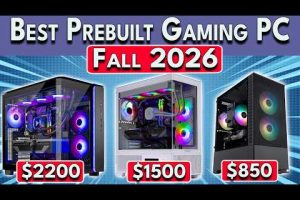
Not everyone has the same budget, and that is perfectly fine. Below, we break down the best gaming PC configurations across three spending tiers so you can find the sweet spot for your situation.
Budget Tier ($600–$1,000): Great Entry-Level Gaming
This tier is perfect for beginners or anyone who wants to enjoy modern games at 1080p with high settings. These systems deliver smooth frame rates in esports titles like Valorant, Fortnite, and League of Legends.
- CPU: AMD Ryzen 5 5600 or Intel Core i5-13400F
- GPU: NVIDIA RTX 4060 or AMD Radeon RX 7600
- RAM: 16GB DDR4 (3200MHz)
- Storage: 1TB NVMe SSD
- PSU: 550W 80+ Bronze
Pre-built options like the Skytech Blaze III and iBUYPOWER Pro Gaming series fall squarely in this range and are excellent for those who prefer plug-and-play setups.
Mid-Range Tier ($1,000–$1,800): The Sweet Spot

This is where most serious gamers should aim. You get the ability to play at 1440p with high-to-ultra settings and maintain 60+ FPS in virtually every title released today.
- CPU: AMD Ryzen 7 7700X or Intel Core i5-14600K
- GPU: NVIDIA RTX 4070 or AMD Radeon RX 7800 XT
- RAM: 32GB DDR5 (5200MHz)
- Storage: 2TB NVMe SSD
- PSU: 650W 80+ Gold
Brands like Maingear, Origin PC, and NZXT offer well-built mid-range systems with solid warranties and customer support.
High-End Tier ($1,800–$3,500+): Ultimate Performance
Enthusiast builds target 4K gaming, ray tracing at maximum fidelity, and future-proofing for upcoming titles. These machines also excel at content creation, streaming, and heavy multitasking.
- CPU: AMD Ryzen 7 7800X3D or Intel Core i9-14900K
- GPU: NVIDIA RTX 4090 or AMD RX 7900 XTX
- RAM: 32GB DDR5 (6000MHz+)
- Storage: 2TB NVMe SSD + secondary HDD
- PSU: 850W 80+ Gold or Platinum
Custom-built rigs from Puget Systems or boutique builders like Origin PC and Velocity Micro are top choices in this category.
Pre-Built vs. Custom-Built Gaming PCs
One of the most debated questions in the gaming community is whether to buy a pre-built system or assemble one yourself. Both approaches have distinct advantages and trade-offs.
When to Choose a Pre-Built PC
- You lack experience with hardware installation and troubleshooting
- You want a warranty that covers the entire system under one support line
- You value convenience and do not want to spend hours researching compatibility
- You prefer a clean, aesthetically designed chassis with pre-installed lighting
When to Build Your Own Gaming PC
- You want maximum value for every dollar spent
- You need complete control over component quality and brand selection
- You plan to upgrade individual parts over time without replacing the entire system
- You enjoy the learning experience and sense of accomplishment
Custom builds typically save you 15–30% compared to equivalent pre-built systems, but they require time, patience, and a willingness to troubleshoot.
Component Comparison Table
The table below compares recommended GPU options across budget tiers, helping you visualize the performance-to-price relationship.
| GPU | Approx. Price | Target Resolution | Ray Tracing |
| NVIDIA RTX 4060 | $299 | 1080p (High) | Basic |
| AMD RX 7600 XT | $329 | 1080p (Ultra) | No |
| NVIDIA RTX 4070 | $599 | 1440p (High) | Good |
| AMD RX 7800 XT | $499 | 1440p (Ultra) | No |
| NVIDIA RTX 4080 Super | $999 | 4K (High) | Excellent |
| AMD RX 7900 XTX | $899 | 4K (High) | Good |
Expert Tips for Maximizing Your Gaming PC
Even the best gaming PC can underperform without proper setup and maintenance. Here are expert recommendations that separate good setups from great ones.
Optimize Your Windows and Drivers
Enable Game Mode in Windows 11 to prioritize system resources for gaming. Always keep your GPU drivers up to date through NVIDIA GeForce Experience or AMD Adrenalin. These utilities also optimize in-game settings automatically for your specific hardware.
Manage Thermals and Airflow
Overheating is the silent killer of gaming performance. Ensure your case has adequate intake and exhaust fans. Use thermal paste correctly when building a custom PC, and consider adding case fans if your system runs above 80°C under load. A well-ventilated case can improve performance by 5–10% through sustained clock speeds.
Upgrade Strategically
Do not feel pressured to upgrade everything at once. Start with the GPU, then RAM, then CPU. Prioritize the component that creates the biggest bottleneck for your target resolution and frame rate. For 1080p gaming, the GPU matters most; for 4K, the GPU and CPU both play critical roles.
Consider Peripherals That Matter
A great gaming PC deserves a great monitor. Look for a display with at least a 144Hz refresh rate, 1ms response time, and IPS or Fast VA panel technology. Pair it with a mechanical keyboard and a high-DPI gaming mouse for a complete competitive setup.
Common Mistakes to Avoid When Buying a Gaming PC
- Skimping on the power supply. A low-quality PSU can damage your entire system and void component warranties.
- Buying too much RAM you do not need. 64GB is overkill for gaming unless you are also doing video editing or 3D rendering.
- Ignoring storage speed. A hard drive as a primary boot drive will cause stuttering and long load times in modern games.
- Overlooking motherboard compatibility. Ensure your motherboard supports your CPU socket and RAM generation before purchasing.
- Chasing the absolute fastest GPU. The best GPU is the one that matches your monitor’s resolution and refresh rate, not necessarily the most expensive one.
Conclusion
Finding the best PC for gaming ultimately comes down to understanding your priorities: budget, target resolution, preferred games, and how much control you want over your setup. Whether you choose a pre-built machine from a trusted brand or embark on a custom build, the key is to balance your components wisely. Start with a solid CPU and GPU, pair them with adequate RAM and fast storage, and invest in a quality power supply and cooling solution. Use the budget tiers and component recommendations in this guide as your roadmap, and you will end up with a gaming PC that delivers outstanding performance for years to come.
Frequently Asked Questions
What is the best budget gaming PC for beginners?
The best budget gaming PC for beginners is one equipped with an AMD Ryzen 5 5600 or Intel Core i5-13400F, paired with an NVIDIA RTX 4060 or AMD RX 7600. Systems in the $600–$1,000 range like the Skytech Blaze III or custom builds using B660 or B650 motherboards offer excellent value for 1080p gaming at high settings.
How much should I spend on a gaming PC in 2024?
For a well-balanced gaming experience at 1440p, budget between $1,000 and $1,500. If you are targeting 4K gaming or want maximum headroom for future titles, plan to spend $2,000 or more. The sweet spot for most gamers remains the mid-range tier where you get the best performance-per-dollar ratio.
Is it better to build a gaming PC or buy one pre-built?
Building your own PC gives you better value, customization, and upgradeability, but it requires technical knowledge and time. Pre-built PCs offer convenience, warranty support, and professional assembly. For most people without build experience, a reputable pre-built system from brands like Maingear, Origin PC, or Skytech is the smarter choice.
Do I need 32GB of RAM for gaming?
While 16GB remains the minimum for modern gaming, 32GB of DDR5 RAM is now recommended for future-proofing and smooth multitasking. Games like Hogwarts Legacy and Cyberpunk 2077 benefit from extra RAM, and if you stream or run background applications while gaming, 32GB makes a noticeable difference.
Which GPU is the best value for gaming right now?
The NVIDIA RTX 4070 and AMD RX 7800 XT currently offer the best value at the $500–$700 price point. Both deliver excellent 1440p performance with high frame rates and support for modern features like DLSS 3 and FSR 3. If your budget allows the RTX 4080 Super, it provides outstanding 4K capabilities as well.