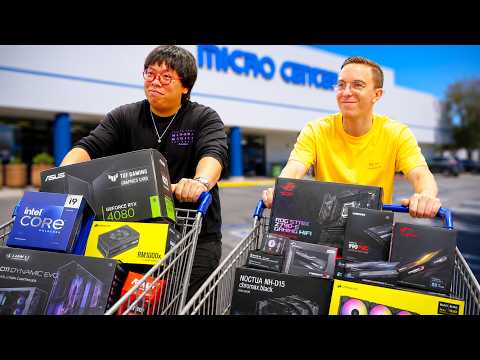
Building a budget gaming computer has never been more accessible, and more importantly, more powerful than it was just a few years ago. Whether you are a college student looking to get into PC gaming, a casual player who wants smooth frame rates at 1080p, or a hardcore enthusiast searching for the best value for your dollar, a well-planned low-cost gaming build can deliver an experience that punches far above its price tag. The days when “budget” meant settling for mediocre performance are long gone. Today, even a machine built for under $700 can handle modern titles at respectable settings. This guide walks you through everything you need to know about assembling or buying an affordable gaming PC, from choosing the right components to avoiding common pitfalls that drain your wallet without adding performance.
What Defines a Budget Gaming Computer?
A budget gaming computer is a desktop system designed to deliver solid gaming performance at a significantly reduced cost compared to high-end or premium rigs. The definition of “budget” shifts depending on your perspective, but most experts classify an affordable gaming build as one that costs between $500 and $900. At this price range, you can expect smooth gameplay at 1080p resolution with medium-to-high settings in most modern titles. The key philosophy behind a budget-friendly gaming rig is maximizing performance per dollar spent, prioritizing the components that matter most for gaming while cutting costs on features that do not directly impact your frames.
When people search for a cheap gaming PC or an inexpensive gaming desktop, they are usually looking for a balance between price and capability. The best budget gaming PC is not necessarily the cheapest option available; it is the one that gives you the most playable hours per dollar invested. This means understanding where to allocate your money and where to save.
Essential Components for an Affordable Gaming Build
Every budget gaming computer consists of several core components, and each plays a specific role in overall performance. Here is a breakdown of what matters most and where you should focus your spending.
Central Processing Unit (CPU)
The processor is the brain of your system, and for a budget build, you do not need the latest flagship chip. AMD’s Ryzen 5 series and Intel’s Core i5 lineup both offer excellent gaming performance at accessible prices. A six-core, twelve-thread CPU from either brand is more than sufficient for modern titles and multitasking. Pairing a capable CPU with a compatible motherboard like a B660 or B550 chipset keeps costs low without sacrificing stability.
Graphics Processing Unit (GPU)
The GPU is the single most important component for gaming performance. When building an inexpensive gaming desktop, your graphics card budget should ideally represent the largest share of your total spending. NVIDIA’s RTX 4060 and AMD’s RX 7600 are excellent choices for budget builds, offering strong 1080p performance and, in NVIDIA’s case, DLSS support for boosting frame rates in demanding games. Used GPUs from the previous generation, such as the RTX 3060 or RX 6700 XT, can also deliver outstanding value on the secondary market.
Memory and Storage

16GB of DDR4 or DDR5 RAM is the sweet spot for a budget gaming computer in 2024. Pair this with a 500GB or 1TB NVMe SSD to ensure fast load times and responsive system performance. Avoid traditional hard drives as your primary storage; the speed difference is dramatic and directly impacts how quickly games load and how smoothly your operating system runs.
Power Supply and Case
Do not skimp on your power supply unit. A reliable 550W to 650W PSU from a reputable brand protects your components and ensures stable power delivery. For the case, prioritize airflow and compatibility over aesthetics. A well-ventilated mid-tower case often costs between $40 and $70 and provides the foundation for a clean, cool-running system.
Pre-Built vs. Custom-Built Budget Gaming PCs
One of the most common dilemmas when searching for a budget gaming computer is whether to buy a pre-built system or assemble one yourself. Both approaches have distinct advantages and trade-offs that every buyer should understand.
| Factor | Pre-Built | Custom Build |
| Cost | Slightly higher due to assembly markup | Lower per-component cost |
| Warranty | Single-point support | Individual component warranties |
| Customization | Limited to available configurations | Fully tailored to your needs |
| Time Investment | Ready to use immediately | Requires research and assembly time |
| Performance per Dollar | Good, but slightly reduced | Maximum for your budget |
| Technical Knowledge Required | None | Basic hardware familiarity |
If you choose a pre-built option, look for reputable brands that specialize in value gaming systems. Companies like Skytech, iBUYPOWER, and custom builders on marketplaces like Newegg and Amazon offer systems that balance affordability with reliable performance. For those who prefer a hands-on approach, custom-building gives you complete control over every dollar spent and ensures you are not paying for components you do not need.
Best Budget Gaming Computer Builds for Different Tiers

Not all budget builds are created equal. Your ideal configuration depends on how much you are willing to spend and what you expect from your machine. Here are three tiers to consider.
- Entry-Level ($500-$650): Ideal for esports titles like Valorant, Fortnite, and League of Legends at high frame rates. This build typically includes a Ryzen 5 5600 or Intel i3-12100F, an RX 6600 or GTX 1660 Super, 16GB RAM, and a 500GB NVMe SSD.
- Mid-Range Budget ($650-$900): Capable of running AAA titles at 1080p with high settings and 60+ FPS. This tier features an RTX 4060 or RX 7600 paired with a Ryzen 5 7600 or Intel i5-12400F.
- Upper Budget ($900-$1200): Offers headroom for 1440p gaming and future-proofing. This configuration includes a mid-range CPU paired with an RTX 4060 Ti or RX 7700 XT, along with 16GB of faster DDR5 RAM and a 1TB NVMe drive.
Common Mistakes to Avoid When Building or Buying a Cheap Gaming PC
Even with the best intentions, mistakes happen when trying to save money on a gaming computer. Here are the most frequent errors that buyers and builders make:
- Underspending on the GPU: The graphics card is the heart of any gaming rig. Cutting corners here will hurt your experience more than any other single decision.
- Overlooking PSU quality: A cheap, no-name power supply can damage your entire system. Always choose a unit with an 80+ Bronze rating or higher from a trusted manufacturer.
- Ignoring upgrade paths: Choose a motherboard and case that allow for future upgrades. A budget build today should not become obsolete in two years.
- Buying too much storage too soon: Start with 500GB and add a second drive later. You do not need 2TB of SSD storage on day one.
- Skipping thermal paste: If you are building yourself, never forget thermal paste. It is a five-dollar investment that prevents thermal throttling.
- Chasing trends instead of value: The newest GPU is not always the best value. Previous-generation cards often offer the best price-to-performance ratio.
How to Maximize Performance on a Budget
Once your budget gaming computer is up and running, there are several strategies to extract maximum performance without spending extra money. Adjusting in-game settings like shadow quality, anti-aliasing, and volumetric lighting can dramatically boost frame rates. NVIDIA’s DLSS and AMD’s FSR technologies use AI or upscaling to render games at lower resolutions and then upscale them, delivering smoother gameplay without a noticeable loss in visual quality. Regularly updating your GPU drivers, keeping your operating system optimized, and using a cooling pad or ensuring proper case airflow also contribute to sustained performance over time.

Where to Find the Best Deals on Budget Gaming Computers
Timing and sourcing are critical when building or purchasing an affordable gaming setup. Major sales events like Black Friday, Amazon Prime Day, and Newegg Flash Deals consistently offer deep discounts on gaming components. The used and refurbished market on platforms like eBay, r/HardwareSwap, and Facebook Marketplace can yield exceptional deals on GPUs and complete systems. Additionally, monitoring price tracking tools like PCPartPicker and CamelCamelCamel helps you identify the best moment to pull the trigger on your purchase.
Final Thoughts on Building the Best Budget Gaming PC
A budget gaming computer is not a compromise; it is a strategic investment in the experiences and entertainment that PC gaming offers. By understanding which components deliver the most impact, avoiding common spending traps, and making smart purchasing decisions, you can build or buy a system that handles modern gaming with confidence. The key is to research thoroughly, prioritize the GPU and CPU, and build with future upgrades in mind. Whether you are assembling your first rig or looking to replace an aging system, a well-executed budget build delivers performance that rivals machines costing hundreds of dollars more.
Frequently Asked Questions
What is the best budget gaming computer for 1080p gaming in 2024?
The best budget gaming computer for 1080p gaming in 2024 is a custom build featuring an AMD Ryzen 5 7600 or Intel Core i5-12400F paired with an NVIDIA RTX 4060 or AMD RX 7600, 16GB of DDR4 or DDR5 RAM, and a 1TB NVMe SSD. This configuration delivers smooth gameplay at high settings in virtually all modern titles while staying within the $700 to $900 price range.
How much should I spend on a cheap gaming PC?
A solid cheap gaming PC typically costs between $500 and $900. Spending below $500 usually forces significant compromises in GPU and storage that affect the gaming experience. The $650 to $800 range represents the best balance of affordability and performance for most players.
Can a budget gaming computer handle virtual reality (VR) gaming?
Some budget gaming computers can handle entry-level VR headsets like the Meta Quest 2 (via PC Link) or HTC Vive, but they are not ideal for demanding VR titles. For a comfortable VR experience, you should aim for at least an RTX 4060 or RX 7600 with 16GB of RAM and a modern six-core processor.
Is it better to buy a pre-built or build my own budget gaming PC?
Building your own budget gaming PC almost always provides better performance per dollar because you control every component choice and avoid assembly markups. However, if you lack confidence or time, a pre-built system from a reputable brand is a perfectly valid option that saves you the hassle of assembly and troubleshooting.
How long will a budget gaming computer last before needing upgrades?
A well-built budget gaming computer can remain relevant for three to five years depending on the components chosen. Prioritizing a capable GPU and a modern CPU with upgrade headroom ensures that your system can accommodate new games through incremental upgrades like adding RAM or swapping the graphics card rather than replacing the entire platform.