


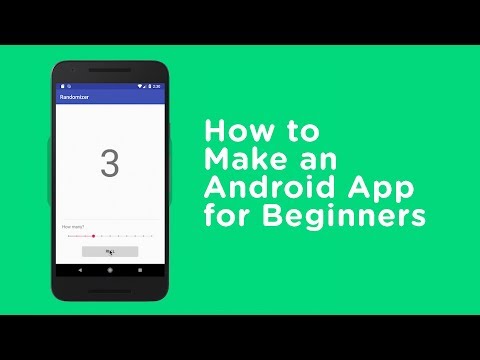
The world of Android and app development is one of the most dynamic, expansive, and rapidly evolving landscapes in the entire technology industry. With over 3 billion active Android devices worldwide and millions of applications available across the Google Play Store, understanding how Android apps function, how they are built, and how they continue to shape digital experiences is essential for developers, entrepreneurs, and tech enthusiasts alike. Whether you are a beginner exploring your first mobile app idea or an experienced developer looking to sharpen your skills, this comprehensive guide dives deep into every facet of the Android app universe — from foundational concepts and development tools to advanced optimization strategies and emerging trends that are redefining what mobile applications can achieve.
Understanding the Android App Ecosystem
What Makes Android Apps Unique
Android applications operate within a uniquely open ecosystem that distinguishes them from their counterparts on other mobile platforms. Unlike closed-source operating systems, Android is built on an open-source Linux kernel, giving developers extraordinary freedom to experiment, customize, and deploy applications without rigid gatekeeping. This openness has fueled a massive app development community and enabled everything from simple utility tools to sophisticated enterprise-grade solutions.
The Android app ecosystem thrives on interoperability, customization, and scalability. Applications built for Android can run on a staggering variety of hardware — from budget smartphones costing under $100 to premium foldable devices costing over $2,000. This diversity demands that developers account for multiple screen sizes, processing capabilities, and memory configurations, making Android app development both challenging and incredibly rewarding.
The Google Play Store and Alternative Distribution Channels
The Google Play Store remains the primary marketplace for Android applications, hosting over 3 million apps across categories like gaming, productivity, health, finance, and education. However, the Android ecosystem also supports alternative app stores and distribution methods. Platforms like Amazon Appstore, Samsung Galaxy Store, and F-Droid cater to specific audiences, while sideloading allows users to install APK files directly from external sources. For developers, understanding these multiple distribution channels is critical for maximizing app reach and user acquisition.
Types of Android Applications
Native vs Cross-Platform Android Apps
One of the most consequential decisions any developer faces is choosing between native and cross-platform development approaches. Each method carries distinct advantages and trade-offs that directly impact app performance, development speed, and long-term maintenance.
| Feature | Native Android Apps | Cross-Platform Apps |
| Development Language | Kotlin, Java | Dart, JavaScript, C# |
| Performance | Optimal | Near-Native |
| UI/UX Fidelity | Full Material Design Support | Custom or Framework-Dependent |
| Code Reusability | Single Platform Only | Multiple Platforms |
| Development Speed | Slower (Separate Codebases) | Faster (Shared Codebase) |
| Access to Device Features | Full and Immediate | Via Plugins or Bridges |
Native Android Apps
Native Android apps are built specifically for the Android operating system using official tools and languages. Kotlin, now the preferred language endorsed by Google, offers concise syntax, null safety, and seamless integration with Android SDK features. Java remains a viable option, though the industry is increasingly migrating toward Kotlin. Native apps deliver the highest performance and full access to hardware features like cameras, GPS, sensors, and Bluetooth — making them ideal for resource-intensive applications such as augmented reality games or real-time health monitoring tools.
Cross-Platform Android Apps
Cross-platform frameworks like Flutter, React Native, and .NET MAUI allow developers to write a single codebase that targets Android, iOS, and other platforms simultaneously. For startups and businesses with limited budgets, this approach dramatically reduces time-to-market and development costs. Flutter, powered by Dart, has gained immense popularity due to its rendering engine that delivers pixel-perfect UI across platforms. React Native, backed by Meta, leverages JavaScript and remains a dominant force in the mobile app development landscape.
How Android Apps Are Built: A Technical Deep Dive
Programming Languages for Android Development
Selecting the right programming language sets the foundation for your entire project. Here is a breakdown of the most relevant languages used in Android application development today:
- Kotlin: The industry standard since Google declared it a first-class language for Android. It offers modern syntax, coroutines for asynchronous programming, and excellent tooling support in Android Studio.
- Java: Still widely used and supported. Java has a massive existing codebase and community, making it reliable for maintaining legacy Android applications.
- Dart (Flutter): Google’s language designed for building natively compiled applications. Dart excels in creating highly animated, fluid user interfaces.
- JavaScript (React Native): Ideal for developers already familiar with web technologies. React Native bridges JavaScript code to native Android components.
- C++ (NDK): Used for performance-critical tasks like game engines, signal processing, and computational heavy lifting through the Android NDK.

Android SDK and Development Tools
The Android Software Development Kit (SDK) is the backbone of every Android app project. It includes libraries, APIs, debugger tools, sample code, and documentation needed to build, test, and deploy applications. Android Studio, the official Integrated Development Environment (IDE), provides a rich suite of features including a visual layout editor, intelligent code completion, real-time performance profiling, and an integrated emulator that lets you test apps on virtual devices without owning physical hardware.
Beyond Android Studio, developers frequently rely on tools like Gradle for build automation, Firebase for backend services like authentication and cloud databases, and GitHub or GitLab for version control and collaborative development workflows.
App Architecture: From Beginner to Advanced
Understanding app architecture is what separates functional apps from robust, scalable ones. Beginners often start with a simple monolithic structure where all code resides in a single module. As projects grow, adopting structured architecture patterns becomes essential.
- MVVM (Model-View-ViewModel): The recommended pattern by Google. It separates UI logic from business logic, making code more testable and maintainable. LiveData and ViewModel components from Android Architecture Components play central roles here.
- MVI (Model-View-Intent): An evolution of MVVM that uses a unidirectional data flow, making state management predictable and debuggable. This pattern is favored for complex, state-heavy applications.
- Clean Architecture: A layered approach that separates concerns into domains, data, and presentation layers. Clean architecture ensures that your business logic remains independent of frameworks and UI frameworks, enabling long-term maintainability.
Optimizing Android App Performance and User Experience
Performance Metrics That Matter
App performance directly influences user retention, ratings, and revenue. Key metrics to monitor include:
- Launch Time: Cold launch should ideally complete within 1-2 seconds. Use the App Startup library to optimize initialization sequences.
- Frame Rate: Maintain a consistent 60 FPS for smooth UI rendering. Android Studio Profiler helps identify janky frames caused by expensive layout operations or heavy computations on the main thread.
- Memory Usage: Excessive memory consumption leads to app crashes and poor user experience. Monitor heap allocations and use tools like LeakCanary to detect memory leaks early.
- Battery Impact: Background services, frequent network calls, and GPS usage can drain batteries rapidly. Use WorkManager for deferrable background tasks and optimize location request intervals.
UI/UX Best Practices for Android Applications
Material Design 3, Google’s latest design language, offers comprehensive guidelines for creating visually cohesive and intuitive interfaces. Key recommendations include embracing dynamic color theming, implementing adaptive layouts that respond to different screen configurations, and ensuring accessibility by supporting screen readers, high-contrast modes, and scalable fonts. Navigation components from Android Jetpack simplify building predictable and consistent navigation flows across your application.
Security Considerations for Android Apps
Common Vulnerabilities and Threats

Android apps face several security challenges that developers must proactively address. Insecure data storage, improper SSL certificate validation, injection attacks through WebView components, and insufficient encryption are among the most frequently exploited vulnerabilities. The Open Worldwide Application Security Project (OWASP) publishes a dedicated Mobile Top 10 list that every Android developer should study and implement countermeasures for.
Best Practices for Securing Your Android Application
Protecting user data and maintaining trust requires a multi-layered security approach. Always encrypt sensitive data using Android Keystore, validate all inputs to prevent injection attacks, use HTTPS with certificate pinning for network communications, and never hardcode API keys or secrets in your source code. Regular security audits, penetration testing, and keeping dependencies updated through tools like Dependabot are essential habits for any professional development team.
Future Trends in Android App Development
The future of Android and app development is being shaped by several transformative trends. On-device machine learning through TensorFlow Lite and ML Kit is bringing artificial intelligence directly onto smartphones, enabling real-time image recognition, natural language processing, and predictive text without relying on cloud connectivity. Jetpack Compose, Android’s modern declarative UI toolkit, is rapidly replacing traditional XML-based layouts and is becoming the standard for new Android UI development. Additionally, foldable device optimization, spatial computing integration, and deeper AI-driven personalization are poised to redefine what users expect from their mobile applications in the coming years.

Conclusion
Android app development remains one of the most accessible yet deeply sophisticated domains in technology. From choosing the right architecture and programming language to optimizing performance, securing user data, and staying ahead of emerging trends, every aspect demands continuous learning and practical expertise. The ecosystem rewards those who invest in quality — building apps that are fast, secure, beautifully designed, and genuinely useful to real users. Whether you are taking your first steps into mobile development or refining an existing portfolio, the principles outlined here provide a strong foundation for long-term success in the ever-expanding world of Android applications.
Frequently Asked Questions (FAQs)
What is the best programming language for developing Android apps in 2025?
Kotlin is currently the best and most recommended programming language for Android app development. Google officially endorses Kotlin as the preferred language, and it offers superior null safety, concise syntax, and full compatibility with the Android SDK. For cross-platform needs, Dart with Flutter and JavaScript with React Native are excellent alternatives.
How long does it take to build an Android application from scratch?
The timeline varies dramatically based on complexity. A simple MVP (Minimum Viable Product) with basic features can take 2-3 months for an experienced developer. A mid-complexity application with custom UI, backend integration, and user authentication typically requires 4-6 months. Large-scale applications with real-time features, machine learning, and complex data architectures can take 9-12 months or longer.
What is the difference between Android SDK and Android NDK?
The Android SDK (Software Development Kit) provides the tools and libraries needed to build Android apps using Java or Kotlin. The Android NDK (Native Development Kit) allows developers to implement portions of their app using native languages like C and C++. The NDK is primarily used for performance-critical tasks such as game engines, audio processing, and computational algorithms that benefit from lower-level execution.
How can I optimize my Android app for better user retention?
Focus on three core areas: performance, usability, and engagement. Reduce app launch time to under two seconds, implement offline-first capabilities using Room database, design intuitive navigation with Jetpack Navigation Component, and incorporate push notifications strategically. Regularly analyze user behavior with Firebase Analytics and A/B test feature rollouts to identify what drives retention.
Is it necessary to use Jetpack Compose for new Android projects?
While not strictly mandatory, Jetpack Compose is strongly recommended for all new Android projects. It simplifies UI development with a declarative approach, reduces boilerplate code compared to XML layouts, and is the future direction of Android’s UI framework. Google continues to invest heavily in Compose, and most new Android documentation and tutorials now use it as the default.
What are the most common mistakes beginners make when building Android apps?
The most frequent mistakes include ignoring app architecture principles (leading to unmaintainable spaghetti code), performing network operations on the main thread (causing app freezes), neglecting proper error handling, overusing background services (draining battery), and failing to test on multiple device configurations. Avoiding these pitfalls early will save significant development time and produce a much higher-quality application.