


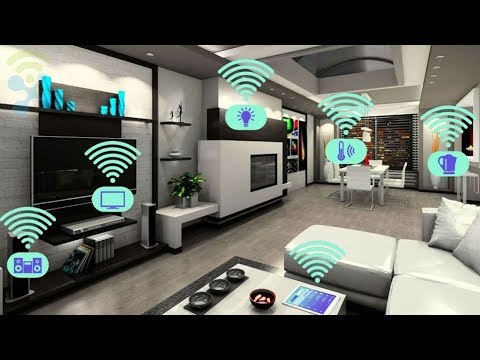
If you have been hearing about the Alexa smart home revolution and wondering how it actually works in real life, you are in the right place. The Amazon Alexa ecosystem has grown from a simple voice assistant into one of the most powerful smart home platforms available today. Millions of households worldwide rely on Alexa to control lighting, security, climate, entertainment, and nearly every connected device in their homes. Whether you are a complete beginner taking your first steps into smart home automation or an advanced user looking to optimize routines and integrations, this comprehensive guide covers everything you need to know about building, managing, and maximizing an Alexa smart home setup.
What Exactly Is an Alexa Smart Home?
At its core, an Alexa smart home is a network of internet-connected devices that communicate with Amazon’s Alexa voice service to automate and simplify daily life. The concept goes far beyond saying “turn on the lights.” A truly connected Alexa ecosystem allows your devices to work together, respond to contextual commands, and follow automated routines that adapt to your lifestyle. Think of Alexa as the central brain or smart home hub that coordinates every compatible gadget in your house.
The beauty of the Alexa smart home platform lies in its open ecosystem. Amazon has partnered with thousands of device manufacturers, from major brands like Philips Hue, Ring, Nest, and Ecobee to smaller niche companies producing specialized sensors, switches, and controllers. This compatibility means you are not locked into a single brand, giving you flexibility to build a setup that fits your budget and needs.
Why Choose Alexa Over Other Smart Home Platforms?
When comparing smart home ecosystems, Alexa competes with Google Home, Apple HomeKit, and Samsung SmartThings. Each has strengths, but Alexa holds several distinct advantages that make it a popular choice for consumers and tech enthusiasts alike.
| Feature | Alexa Smart Home | Google Home | Apple HomeKit |
| Device Compatibility | Highest number of supported devices across all categories | Strong, but slightly narrower selection | Limited to certified Apple-compatible devices |
| Voice Assistant Accuracy | Excellent, with strong natural language understanding | Very strong, especially for search queries | Good, but fewer third-party integrations |
| Routines and Automation | Highly customizable with extensive triggers | Good, but less granular control | Solid but requires Apple ecosystem |
| Price Range | Wide, from budget Echo dots to premium Echo Studio | Mid-range to premium Nest devices | Premium pricing for HomeKit hub options |
| Smart Home Hub | Built-in with Echo devices featuring Zigbee | Built-in with Nest Hub devices | Requires Apple TV or HomePod as hub |
Alexa’s biggest edge is its sheer breadth of device support. If you walk into any electronics store, the odds are high that the smart plug, bulb, or thermostat on the shelf says “Works with Alexa” on the box. This compatibility makes scaling your setup effortless over time.
Getting Started with Amazon Alexa Smart Home Setup
Step 1: Choose Your Alexa-Enabled Device
Your journey begins with an Echo device or any Alexa-compatible smart speaker. The Amazon Echo Dot is the most popular entry point because it is affordable and packs impressive sound for its size. For larger rooms, the Echo Show adds a visual display, making it ideal for video calls, recipes, and camera feeds from compatible security devices.
Step 2: Download and Configure the Alexa App
Once your Echo device is powered on and connected to Wi-Fi, download the free Amazon Alexa app on your smartphone. The app serves as your command center for managing devices, creating routines, adjusting settings, and discovering new compatible products. Follow the on-screen prompts to link your Amazon account and complete the initial setup wizard.
Step 3: Add Compatible Smart Devices
Navigate to the “Devices” tab in the Alexa app and tap the “+” icon to add new devices. Alexa supports discovery for most popular brands, meaning many devices will automatically appear once they are powered on and connected to your home Wi-Fi network. For devices that do not auto-discover, you can manually add them by selecting the brand from the list of supported skills.
- Ensure your Wi-Fi network is stable and uses a frequency band compatible with your smart devices (2.4 GHz is most common).
- Place your Echo device centrally in your home for optimal voice recognition.
- Create device groups (e.g., “Downstairs Lights,” “Bedroom Devices”) for easier voice control.
- Name your devices clearly and consistently for accurate voice commands.
Alexa Smart Home Routines and Automation
One of the most powerful features of the Alexa smart home platform is Alexa Routines. Routines allow you to trigger multiple actions with a single voice command, a scheduled time, or a sensor event. For example, saying “Goodnight” could simultaneously turn off all lights, lock your smart locks, lower the thermostat, and activate a white noise machine.

Here are some practical routine ideas that real users swear by:
- Morning Wake-Up: Gradually brighten smart lights, start the coffee maker, and read out your calendar and weather forecast.
- Leaving Home: Arm your Ring security system, turn off all lights and smart plugs, and adjust the thermostat to an energy-saving mode.
- Movie Night: Dim lights to 10%, close smart blinds, turn on the TV and soundbar, and set the thermostat to a comfortable temperature.
- Alexa Guard Plus: Enable monitoring mode to listen for suspicious sounds like broken glass or smoke alarms and send alerts to your phone.
Best Alexa Smart Home Devices to Consider
Building a quality Alexa smart home starts with selecting the right devices. Here are some categories and standout products that deliver excellent performance and seamless Alexa integration:
Lighting

Philips Hue bulbs and light strips offer millions of colors and full Alexa voice control. For a budget-friendly option, Wyze Bulb provides solid Wi-Fi-connected lighting with no hub required.
Climate Control

The Ecobee SmartThermostat works beautifully with Alexa, featuring built-in Alexa voice control directly on the thermostat display. Amazon Smart Thermostat is a more affordable alternative that integrates natively without requiring a separate hub.
Security
Ring Video Doorbell and Blink cameras are Amazon-owned products, meaning they integrate deeply with Alexa. You can ask Alexa to show you a live feed on any Echo Show or Fire TV device.
Smart Plugs and Outlets
Amazon Smart Plugs let you make any traditional appliance voice-controlled and scheduleable. Brands like TP-Link Kasa and Wemo also offer excellent Alexa-compatible plug options.
Entertainment
Fire TV Stick 4K Max and Echo Studio bring immersive audio and video experiences into your Alexa smart home, with voice-controlled playback across all major streaming services.
Advanced Alexa Smart Home Tips for Power Users
If you have already set up a basic Alexa smart home, these advanced tips will take your setup to the next level.
Use Device Groups for Room-Based Control. Instead of controlling devices individually, create groups in the Alexa app by room. This allows you to say “Turn off the kitchen” and have every smart device in that room respond simultaneously.
Leverage Alexa Skills for Third-Party Integrations. Skills are essentially apps for Alexa. Search the Alexa app for skills related to your smart devices to unlock additional features, custom commands, and deeper automation capabilities.
Set Up Alexa Voice Profiles. Alexa can recognize different voices in your household, allowing personalized responses, music recommendations, and calendar access for each family member.
Integrate with IFTTT for Cross-Platform Automations. The IFTTT (If This Then That) service connects Alexa to thousands of web services and devices outside the Amazon ecosystem, opening up virtually limitless automation possibilities.
Optimize Your Wi-Fi Network. A smart home with dozens of connected devices demands a robust router. Consider a mesh Wi-Fi system to ensure every corner of your home has strong connectivity, preventing lag and unresponsive devices.
Privacy and Security Considerations
Voice-activated smart home devices raise legitimate privacy concerns, and Amazon has made significant strides in addressing them. You can review and delete your voice recordings at any time through the Alexa app. The Alexa Privacy Dashboard gives you transparency into what data is collected and how it is used. You can also mute the microphone on your Echo device with a physical button, ensuring no audio is captured when privacy is a priority. For households with children, Amazon offers Alexa Kids Plus, which provides additional parental controls and content filtering.
Conclusion
The Alexa smart home ecosystem offers an unmatched combination of device compatibility, automation depth, and ease of use. Whether you are automating a single room or wiring an entire house with interconnected devices, Alexa provides the tools and flexibility to create a home that truly responds to your voice and your lifestyle. Start small with a smart plug or a couple of smart bulbs, and gradually expand your setup as you discover what works best for your household. The result is a more convenient, energy-efficient, and secure living environment that feels genuinely futuristic every single day.
Frequently Asked Questions
What is the best Alexa smart home device for beginners?
The Amazon Echo Dot (5th Generation) is the best starting point for beginners. It is affordable, delivers surprisingly good sound, features a built-in smart home hub with Zigbee support, and provides hands-free Alexa voice control right out of the box.
Can I use Alexa smart home without Amazon Prime?
Yes, absolutely. Alexa smart home functionality works without an Amazon Prime subscription. While Prime offers benefits like Prime Music and additional Alexa features, controlling smart devices, creating routines, and using voice commands are completely free.
How many smart home devices can Alexa support?
Alexa can handle thousands of connected devices across multiple categories. Amazon does not impose a strict device limit, though extremely large setups may benefit from a dedicated smart home hub or mesh network to maintain stable performance.
Is an Alexa smart home safe from hacking?
No connected system is completely immune to security threats, but Amazon implements robust encryption, regular firmware updates, and privacy controls. Enabling two-factor authentication on your Amazon account and keeping your Alexa app updated significantly reduces your vulnerability.
Can Alexa smart home work without the internet?
Most Alexa smart home features require an active internet connection for cloud processing and remote device control. However, local voice commands for devices connected to an Echo with a built-in hub (like Zigbee devices) can sometimes continue working during brief internet outages, depending on the device and setup.