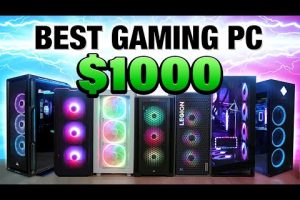
When people search for the best PC, they aren’t just looking for a machine that turns on and runs a web browser. They are seeking a digital powerhouse tailored to their specific workflow, entertainment, or creative ambitions. Whether you are a hardcore gamer chasing frame rates, a remote professional juggling complex spreadsheets, or a digital artist rendering 3D models, the definition of the ideal computer varies wildly from person to person. The “best PC” is ultimately the system that delivers the perfect balance of processing power, graphical capability, and memory bandwidth without wasting a single dollar on unnecessary components. In this comprehensive guide, we will break down the top configurations, explore critical hardware choices, and provide actionable insights to help you build or buy the ultimate desktop setup.
Understanding What Makes a PC the Best for Your Workflow
Before you dive into component lists, you need to define what “best” means in your context. A top-rated PC build for a video editor prioritizes multi-core processing, while the best gaming PC emphasizes a high-end graphics card. Here is a breakdown of the core pillars that separate a mediocre machine from a truly exceptional one:
- Central Processing Unit (CPU): The brain of your system. For heavy multitasking and rendering, an AMD Ryzen 9 or Intel Core i9 processor ensures zero bottlenecks.
- Graphics Processing Unit (GPU): Crucial for gaming, 3D rendering, and AI workloads. The NVIDIA RTX 40-series and AMD Radeon RX 7000 series dominate this space.
- Memory (RAM): 16GB is the baseline for modern usage, but 32GB or 64GB is essential for professional workloads and high-end gaming.
- Storage: NVMe SSDs offer lightning-fast load times, making them the standard for any best PC configuration.
Best Budget PC Builds for Beginners
If you are stepping into the PC ecosystem for the first time, you do not need to spend thousands of dollars to get an exceptional experience. The goal here is value—finding a high-performance computer that handles modern titles without breaking the bank.
Entry-Level Components That Punch Above Their Weight
When assembling a best budget PC, the AMD Ryzen 5 5600 or Intel Core i5-12400F represents the sweet spot for price-to-performance. Pairing either of these processors with 16GB of DDR4 RAM and a 500GB NVMe SSD creates a responsive system. For graphics, the NVIDIA GTX 1650 or AMD Radeon RX 6500 XT provides enough horsepower for 1080p gaming and media consumption.
- Processor: AMD Ryzen 5 5600 or Intel Core i5-12400F
- Graphics: NVIDIA GTX 1650 or integrated Radeon graphics
- RAM: 16GB DDR4 3200MHz
- Storage: 500GB NVMe SSD

The Best Mid-Range PC for Everyday Professionals
For the remote worker, the student, and the casual enthusiast, the mid-range desktop computer strikes the perfect balance between cost and capability. You get ample processing power for professional software like Adobe Premiere Pro or Microsoft Excel without the premium price tag of a high-end workstation.

At this level, upgrading to 32GB of RAM and a mid-range GPU like the NVIDIA RTX 4060 transforms the machine into a capable content creation rig. A best PC for work often features a solid-state drive of at least 1TB, ensuring that large project files and operating system boot times remain lightning-fast. These systems are designed to last five to seven years without feeling obsolete, making them the smartest investment for long-term productivity.
High-End and Ultimate Gaming PC Configurations
Enthusiasts and professionals who demand the absolute peak of performance need a machine built without compromise. The best gaming PC and the ultimate workstation share similar philosophies: maximum thermal headroom, premium components, and future-proofing. When you are pushing pixels at 4K resolution or compiling massive codebases, every millisecond matters.
When You Need the Absolute Peak of Performance
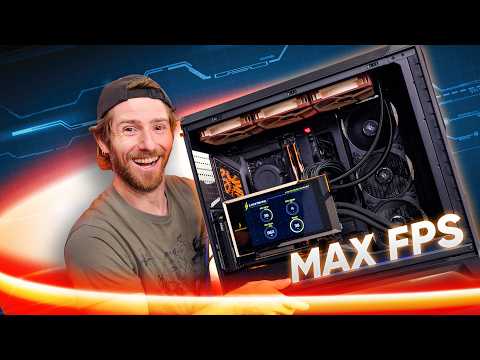
A top-rated PC build features the latest AMD Ryzen 9 7950X or Intel Core i9-14900K processors paired with 64GB of high-speed DDR5 RAM. The graphics card should be the current flagship, such as the NVIDIA RTX 4090, which handles ray tracing and AI upscaling with ease. Cooling solutions are critical; a 360mm AIO radiator ensures the CPU maintains peak boost clocks under heavy loads.
Comparison Table: Top Picks by Category
To help you visualize where each system fits into the market, refer to the breakdown below. This table compares the ideal configurations for different use cases and budgets.
| Category | Ideal Use Case | Recommended CPU | Recommended GPU | Estimated Cost |
| Budget PC | Web browsing, Esports gaming | Intel Core i5-12400F | NVIDIA GTX 1650 | $700 – $900 |
| Mid-Range PC | Content creation, 1080p gaming | AMD Ryzen 7 5700X | NVIDIA RTX 4060 | $1,200 – $1,500 |
| High-End PC | 4K gaming, 3D rendering | Intel Core i7-14700K | NVIDIA RTX 4080 | $2,500 – $3,000 |
| Ultimate PC | Ray tracing, 4K editing | AMD Ryzen 9 7950X | NVIDIA RTX 4090 | $4,000+ |
Expert Tips for Assembling or Buying Your Ideal Computer
Choosing the best desktop computer is only half the battle; ensuring that it runs optimally requires strategic planning. Whether you are building from scratch or purchasing a pre-built system, these expert recommendations will maximize your investment. Never overlook the importance of the power supply unit; a high-quality 80+ Gold or Platinum PSU protects your components from power surges. Additionally, airflow is critical—invest in a case with excellent mesh panels and configure your fans to create positive pressure, which keeps dust out and cool air flowing smoothly over your hardware.
Another often-overlooked aspect of the best PC is the peripheral ecosystem. A high-refresh-rate monitor and a mechanical keyboard transform how you interact with your machine. If you are buying a pre-built system, always verify the warranty and upgradeability. A reputable brand should offer easy access to internal components, allowing you to swap out your GPU or add more storage without voiding your guarantee.
Frequently Asked Questions About Finding the Best PC
What is the best PC for a student on a tight budget? For students, the best PC balances affordability with multitasking capability. An AMD Ryzen 5 or Intel Core i5 processor paired with 16GB of RAM and a 512GB NVMe SSD is the ideal configuration. This setup handles research, writing papers, and casual gaming without any noticeable lag, providing a reliable academic companion for four years of college.
How much should I spend on a best PC for work from home? If your primary goal is remote work, a mid-range configuration ranging from $1,000 to $1,500 is the sweet spot. You do not need a massive graphics card; instead, focus on a fast CPU, a solid-state drive, and at least 16GB of RAM to keep your video calls and applications running smoothly without any stuttering or slowdowns.
Is it better to buy a pre-built PC or build one for the best performance? Building your own PC offers the best performance per dollar and complete customization control, but it requires technical knowledge and time. Pre-built systems from reputable manufacturers are perfect for those who want a plug-and-play experience with guaranteed warranties. Both routes can yield the best desktop computer; it simply depends on your comfort level with hardware.
What GPU do I need for the best PC gaming experience in 2024? For 1080p gaming at high refresh rates, an NVIDIA RTX 4060 or AMD Radeon RX 7600 is sufficient. If you are targeting 1440p or 4K resolution with ray tracing enabled, you will need an NVIDIA RTX 4080 or the flagship RTX 4090 to maintain smooth frame rates and visual fidelity in modern AAA titles.
How important is the CPU cooler for a high-performance computer? Cooling is absolutely critical for maintaining peak performance in any best PC build. A quality CPU cooler—whether it is a large air cooler or an AIO liquid cooler—prevents thermal throttling. When a processor gets too hot, it reduces its speed to protect itself, which directly impacts your frames per second and rendering times. Always pair your high-end processor with a cooler designed for its thermal output.
Conclusion: Your Path to the Ultimate Desktop Setup
Finding the best PC is a deeply personal journey that depends entirely on your daily routines and financial constraints. From the sleek efficiency of a budget build to the raw dominance of an RTX 4090-powered rig, the right computer is out there waiting for you. By focusing on the core components that matter most to your specific workload, you can confidently navigate the market and assemble a system that will serve you flawlessly for years to come. Invest wisely and enjoy the unparalleled experience of a high-performance computer tailored perfectly to your lifestyle.