The quest for the perfect best smart home hub is one that every connected homeowner eventually encounters. Whether you’re just starting to automate your living room lights or you’re managing an entire ecosystem of sensors, cameras, locks, and thermostats, the hub you choose serves as the brain of your smart home. Without the right central controller, your devices might as well be speaking different languages — and trust me, that kind of fragmentation can turn a seamless smart home into a frustrating puzzle. In this comprehensive guide, we’ll walk you through everything you need to know about smart home hubs, from beginner basics to advanced integration strategies, and give you honest, expert recommendations that cut through the marketing noise.
What Is a Smart Home Hub and Why Does It Matter?
A smart home hub is essentially a central controller that acts as the bridge between your smart devices, apps, and voice assistants. Think of it as the conductor of an orchestra — each device is a talented musician, but without someone coordinating their efforts, you get chaos instead of harmony. The hub communicates using protocols like Zigbee, Z-Wave, Wi-Fi, and the newer Matter standard, translating signals so every device works together flawlessly.
How Smart Home Hubs Work Under the Hood
Most smart devices don’t connect directly to your Wi-Fi router. Instead, they use low-energy protocols like Zigbee or Z-Wave to form a mesh network. The hub listens to these networks and relays commands to and from your phone or voice assistant. This is why a smart home controller is so important — it consolidates dozens of separate device connections into one manageable interface.
Key Protocols Explained
- Zigbee: Low-power mesh networking, ideal for sensors and bulbs. Supported by SmartThings, Hubitat, and others.
- Z-Wave: Similar to Zigbee but with stronger interference resistance. Popular for locks and security devices.
- Wi-Fi: High-bandwidth, used by cameras and displays. No hub needed but congests your network.
- Matter: The new cross-platform standard backed by Apple, Google, Amazon, and Samsung. Ensures device interoperability.
Why You Need a Smart Home Hub in 2024
You might be wondering: can’t I just use individual apps for each device? Technically, yes. But here’s why a dedicated home automation hub is worth every penny:
- Unified Control: Manage all your devices from a single dashboard instead of juggling five different apps.
- Automation Routines: Create powerful triggers — like turning off all lights, locking doors, and activating your thermostat when you say “goodnight.”
- Local Processing: Many hubs process commands locally, meaning your automations work even when the internet goes down.
- Broader Device Compatibility: Hubs bridge protocol gaps, letting you mix Zigbee bulbs with Z-Wave locks and Wi-Fi cameras.
- Enhanced Security: Local processing reduces exposure to cloud-based vulnerabilities.

Best Smart Home Hubs Compared
After extensive testing, community feedback, and evaluating compatibility ecosystems, here are the top smart hub devices available right now. The comparison table below gives you a quick snapshot, followed by detailed breakdowns.
| Hub | Best For | Protocols | Voice Assistants | Price Range |
| Amazon Echo Show 10 (3rd Gen) | Alexa-centric households | Zigbee, Wi-Fi, Matter | Alexa | $180–$250 |
| Apple HomePod Mini | Apple HomeKit users | Thread, Wi-Fi, Matter | Siri | $100–$130 |
| Google Nest Hub (2nd Gen) | Google Home ecosystem | Thread, Wi-Fi, Matter | Google Assistant | $100–$180 |
| SmartThings Station | Advanced automation fans | Zigbee, Z-Wave, Wi-Fi, Thread, Matter | Alexa, Google, Bixby | $60–$80 |
| Hubitat Elevation | Power users & local control | Zigbee, Z-Wave, Wi-Fi | Alexa, Google, HomeKit (indirect) | $120–$150 |
| Home Assistant Yellow | Open-source enthusiasts | Zigbee, Z-Wave, Thread, Wi-Fi, Matter | All via integrations | $150–$200 |
Amazon Echo Show 10 (3rd Gen)
If your household runs on Alexa, the Echo Show 10 is arguably the most versatile Alexa hub available. It includes a built-in Zigbee hub, supports Matter devices, and features a rotating screen that follows you around the room. It’s excellent for video calling, managing routines, and controlling cameras. The main downside is that deep automation requires some Alexa-specific knowledge.
Apple HomePod Mini
The HomePod Mini is the go-to choice for anyone embedded in the Apple ecosystem. It supports Thread, a wireless protocol designed for smart home reliability, and works natively with HomeKit. Its compact size and premium sound quality make it a steal at around $100. However, device compatibility outside the HomeKit universe is limited, so if you have non-Apple gadgets, this might not be your best smart home hub option.
SmartThings Station
Samsung’s SmartThings Station punches far above its price class. It supports Zigbee, Z-Wave, Wi-Fi, Thread, and Matter — essentially every major protocol. The built-in screen and speaker add functionality, and the SmartThings app remains one of the most user-friendly platforms for creating automations. It’s a fantastic smart home hub for beginners and intermediate users alike.
Hubitat Elevation
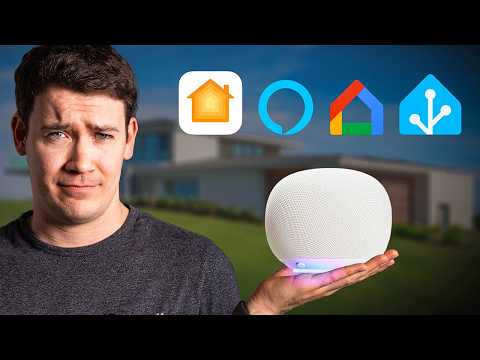
For power users who demand local processing and maximum customization, the Hubitat Elevation is a legend in the smart home community. It runs entirely on your local network, supports Zigbee and Z-Wave out of the box, and has an active developer community creating drivers for virtually every device imaginable. The learning curve is steeper, but the control you get is unparalleled.
How to Choose the Right Smart Home Hub
Selecting the ideal smart hub device depends on several personal factors. Here’s a decision framework to simplify your choice:
- Ecosystem preference: Are you an Alexa, Google, Apple, or open-source person? Your existing ecosystem heavily influences compatibility.
- Device compatibility: Check whether your existing devices use Zigbee, Z-Wave, Thread, or Matter. Make sure the hub supports those protocols.
- Technical skill level: If you want plug-and-play simplicity, Amazon or Google hubs are excellent. If you enjoy tinkering, Hubitat or Home Assistant will satisfy you.
- Privacy priorities: Local-processing hubs like Hubitat and Home Assistant keep your data off the cloud.
- Budget: There are excellent options from $60 to $200. Don’t assume expensive means better — the SmartThings Station is a budget-friendly powerhouse.
Beginner Tips for First-Time Hub Buyers
If you’re just starting out, start small. Buy one hub, add two or three devices, and build a simple routine before expanding. The best smart home hub for beginners in 2024 is arguably the SmartThings Station or the Amazon Echo Show 10 — both offer intuitive apps and broad compatibility without overwhelming you with settings.

Setting Up and Optimizing Your Smart Home Hub — Expert Tips
- Place your hub centrally: Zigbee and Z-Wave signals weaken with distance. A central location maximizes your mesh network reach.
- Use a wired ethernet connection: If your hub supports it, always prefer ethernet over Wi-Fi for rock-solid reliability.
- Update firmware regularly: Manufacturers frequently patch security vulnerabilities and improve device compatibility.
- Separate IoT Wi-Fi band: If possible, put your smart devices on a dedicated Wi-Fi network to reduce congestion.
- Test automations before relying on them: Walk through each routine manually to ensure triggers and actions fire correctly.
Advanced Smart Home Hub Strategies
Once you’re comfortable with the basics, you can unlock next-level functionality. Advanced smart home hub users often combine multiple hubs with a software layer like Home Assistant. This approach lets you aggregate data from a Hubitat controller, a Nest Hub display, and a HomeKit bridge into one unified interface. The key is leveraging Matter as your interoperability layer — it’s rapidly becoming the universal language of smart home devices, and any hub released in 2023 or later should support it natively.
Another expert-level move is setting up edge computing through Home Assistant OS on dedicated hardware. This eliminates cloud dependency entirely, making your smart home resilient to internet outages, ISP downtime, and even cyberattacks targeting cloud services. Pair this with a Zigbee coordinator and a Z-Wave stick, and you’ve essentially built a fortress of local smart home control.
Final Verdict: Finding Your Perfect Smart Home Hub
There’s no single best smart home hub that fits everyone — and that’s actually a good thing. The right hub aligns with your ecosystem, your technical comfort level, and the devices you already own or plan to buy. For most households, the SmartThings Station delivers the best balance of price, compatibility, and ease of use. Apple users should gravitate toward the HomePod Mini, while Alexa loyalists will feel right at home with the Echo Show 10. Power users who crave deep customization will find Hubitat or Home Assistant far more rewarding. Whichever you choose, the smart home journey is a marathon, not a sprint — start with one hub, expand thoughtfully, and enjoy the convenience that a truly connected home delivers.
Frequently Asked Questions
What is the best smart home hub for beginners in 2024?
The SmartThings Station is widely regarded as the best smart home hub for beginners thanks to its intuitive app, broad device compatibility, and affordable price point. It supports Zigbee, Z-Wave, Wi-Fi, Thread, and Matter, making it a future-proof choice for anyone just starting their smart home journey.
Do I really need a smart home hub if I have a smart speaker?
Not always, but a dedicated hub offers significant advantages. Smart speakers like the Echo or Nest Hub include limited built-in hubs, but a standalone hub provides better protocol support, local processing, and more robust automation capabilities. If you have more than a handful of smart devices, a dedicated smart home controller is highly recommended.
What’s the difference between Zigbee and Z-Wave smart home hubs?
Both are low-power mesh networking protocols, but they differ in interference patterns and device limits. Z-Wave operates on a dedicated frequency and is less prone to Wi-Fi interference, while Zigbee is more widely adopted. The best approach is choosing a hub that supports both, like the SmartThings Station or Hubitat Elevation.
Can I use multiple smart home hubs together?
Absolutely. Many advanced users run a Hubitat or Home Assistant hub alongside an Alexa or Google hub to combine local processing power with voice assistant convenience. Using Matter-compatible devices makes multi-hub setups significantly smoother because Matter acts as a universal translation layer across platforms.
Is the Matter protocol the future of smart home hubs?
Yes, Matter is backed by Apple, Google, Amazon, Samsung, and the Connectivity Standards Alliance. It’s rapidly becoming the standard for cross-platform smart device communication. Any new smart home hub purchased today should ideally support Matter to ensure long-term compatibility with the growing ecosystem of interconnected devices.
What’s the best budget smart home hub under $100?
The SmartThings Station often drops below $80 during sales and delivers exceptional value with its multi-protocol support and built-in display. For pure budget options without a display, the Amazon Echo Dot (5th Gen) serves as a capable Alexa hub with Zigbee support at a lower price point, making it one of the most accessible smart hub devices on the market today.