


When you step into the world of home automation for the first time, the sheer variety of options can feel overwhelming. Alexa smart home devices have become one of the most popular entry points into connected living, and for good reason. The Amazon voice assistant powers an ecosystem of thousands of compatible gadgets, from smart speakers and displays to plugs, bulbs, locks, and thermostats. Whether you want a simple way to control your lights with your voice or a full-blown automated home that responds to your daily routines, Alexa-based products deliver a level of integration that few competitors can match. This guide covers everything you need to know — from choosing your first Echo speaker to building advanced routines that transform the way you interact with your living space.
What Are Alexa Smart Home Devices?
Alexa smart home devices are Internet of Things (IoT) gadgets that connect to Amazon’s Alexa voice service, allowing you to control and automate functions in your home using spoken commands. At the center of this ecosystem sits the Amazon Echo lineup, which includes smart speakers, smart displays, and even dedicated hubs like the Echo Show and Echo Hub. But the ecosystem extends far beyond speakers. Compatible devices span categories like smart plugs, smart switches, video doorbells, security cameras, robot vacuums, and entertainment systems. The key advantage is that Alexa acts as a unified voice layer across brands and categories, so you can control a Philips Hue bulb, a Ring doorbell, and a Roomba vacuum all from one assistant.
Top Alexa Smart Home Devices at a Glance
The market is packed with options, but certain devices consistently stand out for performance, reliability, and seamless Alexa integration. Below is a comparison of the most popular categories to help you decide where to invest first.
| Device Category | Top Pick | Key Feature | Price Range |
| Smart Speaker | Amazon Echo (4th Gen) | 360° audio, built-in Zigbee hub | $99–$129 |
| Smart Display | Echo Show 10 (3rd Gen) | Motorized screen, video calling | $249 |
| Smart Plug | Amazon Smart Plug | Plug-in simplicity, no hub needed | $25 |
| Smart Bulb | Philips Hue White & Color | 16 million colors, rich scenes | $50+ per bulb |
| Smart Thermostat | Ecobee Premium | Room sensors, Alexa built-in | $249 |
| Video Doorbell | Ring Video Doorbell Pro 2 | Motion detection, HD video | $249 |
| Robot Vacuum | iRobot Roomba j7+ | Alexa voice commands, auto-empty | $599 |
How to Build Your Alexa Smart Home Ecosystem
Building a connected home does not happen overnight, and the smartest approach is to start small and expand gradually. Here is a roadmap that works whether you are a complete beginner or looking to layer in more advanced functionality.
Getting Started: Beginner Level
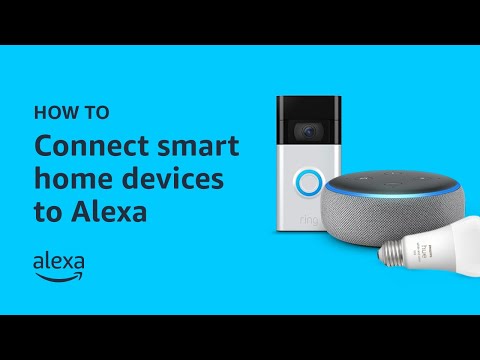
Your first step should be purchasing an Amazon Echo smart speaker. The Echo (4th generation) is the best all-around choice because it includes a built-in Zigbee smart home hub, which lets you pair compatible devices directly without needing a separate bridge. Place the Echo in a central room — your living room or kitchen — where you will use voice commands most often. Download the Alexa app on your phone, create your account, and follow the in-app setup. Once your Echo is online, try a simple command like “Alexa, turn on the living room lights” after you connect a compatible smart plug or bulb.
Intermediate Setup Tips
Once you are comfortable with basic voice commands, it is time to expand your setup. Consider adding smart plugs to lamps, fans, and coffee makers so you can control anything with a simple voice command. Smart plugs are inexpensive and one of the highest-ROI upgrades in any smart home. Next, explore Alexa Routines, which let you trigger multiple actions with a single command. For example, you can create a “Good Morning” routine that turns on the bedroom lights, starts the coffee maker, reads the weather forecast, and plays your news briefing — all triggered by one phrase.
Advanced Automation Routines
For experienced users, Alexa supports complex conditional logic through Routines and Guard features. You can set location-based triggers so devices activate when you leave or arrive home. You can integrate motion sensors, door sensors, and cameras to create custom security automations. Alexa Guard can listen for specific sounds like smoke alarms or broken glass and send alerts to your phone. These capabilities turn a collection of smart devices into a genuinely intelligent home that anticipates your needs.
Alexa Smart Home Device Categories Explained
Smart Speakers and Displays
Smart speakers are the foundation of any Alexa smart home setup. The Echo line has evolved significantly, with each generation offering better audio quality, faster processing, and smarter built-in features. The Echo Pop is the most affordable entry point at around $40, while the Echo Studio delivers premium 3D surround sound for audiophiles. Smart displays like the Echo Show add a visual interface, making them ideal for video calls, recipe follow-along, security camera feeds, and smart home dashboards.

Smart Lighting
Voice-controlled lighting is one of the most popular use cases for Alexa smart home devices. Brands like Philips Hue, LIFX, and IKEA TRÅDFRI offer bulbs that respond instantly to Alexa commands. You can adjust brightness, change colors, and set scenes like “Movie Night” or “Relax” with a single voice prompt. The real power comes when you group lights by room and control them together or sync them with routines and music.
Smart Plugs and Outlets
Smart plugs are the ultimate gateway device. They let you make any plugged-in appliance “smart” — lamps, fans, heaters, coffee makers, and even older TVs. The Amazon Smart Plug works seamlessly out of the box with Alexa and supports scheduling, timers, and voice control. For more advanced users, third-party options from TP-Link Kasa and Wemo offer energy monitoring features that let you track electricity usage over time.
Climate Control and Safety
Smart thermostats like the Ecobee and Nest integrate deeply with Alexa, allowing you to adjust temperatures by voice or set automated schedules based on your daily patterns. On the safety side, devices like Ring cameras, Arlo security systems, and smart locks let you monitor and secure your home remotely. Alexa serves as the central voice interface for arming systems, checking camera feeds, and receiving instant alerts.
Comparing Alexa Smart Home Devices by Brand Ecosystem
One reason Alexa dominates the smart home space is its broad compatibility. Unlike some ecosystems that work best exclusively within their own brand, Alexa communicates with devices from hundreds of manufacturers. Below is a quick comparison of major smart home brands and how well they integrate with Alexa.
| Brand | Primary Products | Alexa Integration Level | Standout Feature |
| Philips Hue | Smart bulbs, lightstrips, fixtures | Full native support | Industry-leading color accuracy |
| Ring | Doorbells, cameras, alarms | Deep native integration | Built specifically for Alexa |
| iRobot | Robot vacuums | Full native support | Voice-directed cleaning |
| TP-Link Kasa | Smart plugs, bulbs, switches | Full native support | Excellent value and reliability |
| Sonos | Multi-room speakers | Full native support | Premium audio with Alexa built-in |
| Wyze | Cameras, sensors, plugs | Full native support | Budget-friendly with solid features |
This wide compatibility is a major advantage when building your setup. You are not locked into a single brand, which means you can choose the best product for each category and still have everything work together through Alexa.
Expert Tips to Maximize Your Alexa Smart Home Setup
- Use device groups in the Alexa app. Grouping devices by room — “Living Room Lights,” “Bedroom Speakers,” “Kitchen Plugs” — lets you control multiple devices with a single command like “Alexa, turn off the living room.”
- Set up voice profiles. Alexa can recognize different family members by voice, enabling personalized responses, calendars, and music preferences.
- Enable Drop In for intercom functionality. If you have multiple Echo devices, Drop In turns them into a whole-home intercom system, great for checking on kids or communicating between rooms.
- Use the “Alexa, where is…” feature. This works with compatible devices to locate them on a map within the Alexa app, which is especially useful for finding a misplaced Ring product or Echo.
- Schedule regular firmware updates. Keeping your devices updated ensures security patches, bug fixes, and new feature support remain current.
- Explore third-party Alexa skills. Skills extend Alexa’s capabilities — from ordering food to controlling smart blinds to playing interactive games — giving your setup extra personality.
Frequently Asked Questions
What are the best Alexa smart home devices for beginners on a budget?
Start with an Amazon Echo Dot (5th generation), which costs around $50 and provides solid voice assistant performance with decent sound. Pair it with an Amazon Smart Plug ($25) and a couple of smart bulbs from TP-Link Kasa to experience voice-controlled lighting without a large upfront investment. This minimal setup gives you the core Alexa smart home experience and leaves plenty of room to expand later.

Can Alexa smart home devices work without Wi-Fi?
Most Alexa smart home devices require a Wi-Fi connection to function fully. Without internet, voice commands cannot reach the cloud for processing, and remote access is unavailable. However, some Echo devices support Bluetooth and can act as a local speaker. Certain Zigbee and Z-Wave compatible devices may continue to execute basic routines locally if your hub supports it, but the full experience depends on connectivity.
How many Alexa smart home devices can connect to one Echo speaker?
A single Amazon Echo can control up to 100 smart home devices when using the Alexa app. The practical limit depends on your Wi-Fi network’s stability and bandwidth. For most households, managing 30 to 50 devices through one Echo works smoothly. If you have a larger home, adding additional Echo units as dedicated room controllers improves response time and reliability.
Is it worth investing in Alexa-compatible devices over Apple HomeKit or Google Home?
The answer depends on your priorities. Alexa smart home devices generally offer the widest compatibility with third-party brands, the deepest automation capabilities through Routines, and the most affordable entry points. Apple HomeKit excels at privacy and tight integration within the Apple ecosystem, while Google Home provides excellent search integration. For sheer breadth of device support and cost-effectiveness, Alexa remains the strongest choice for most smart home builders.
What security features do Alexa smart home devices offer?
Amazon provides several security layers for Alexa smart home devices, including optional two-step verification for your Amazon account, device-level encryption for communication between Echo and compatible gadgets, and the ability to view and manage connected devices through the Alexa app dashboard. Alexa Guard can monitor for specific audio cues like smoke alarms or glass breaking and send notifications to your phone when you are away. For maximum security, always keep your devices updated, use strong passwords, and enable two-factor authentication on your Amazon account.
Final Thoughts
Alexa smart home devices offer one of the most mature, expansive, and accessible ecosystems in the connected home space. From affordable entry-level Echo speakers to premium displays, from smart plugs that breathe life into old appliances to full-home automation routines that run on autopilot, the possibilities are genuinely limitless. The key is to start with a clear goal, invest in reliable and well-integrated devices, and build your setup incrementally. As the ecosystem continues to grow with new products and deeper AI capabilities, the smartest homes today will only become smarter tomorrow. Dive in, experiment, and let your voice become the most powerful remote control you will ever own.