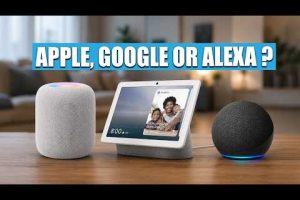
Choosing the best home automation system can feel overwhelming when you are staring at dozens of brands, protocols, and smart devices competing for your attention. Whether you want to automate lighting, climate control, security cameras, or entire room scenes, the right platform makes all the difference between a frustrating setup and a truly seamless smart home experience. In this guide, we break down the top contenders, compare features, and give you actionable recommendations for every skill level.
What Makes a Home Automation System the Best?
Not every smart home platform is built the same way. The best home automation systems share several critical qualities that set them apart from basic remote-control apps. Compatibility across a wide range of devices is arguably the most important factor. You want a system that supports popular protocols like Zigbee, Z-Wave, Wi-Fi, and Matter so you are not locked into a single manufacturer’s ecosystem. Ease of installation matters too, especially for newcomers who do not want to hire a professional electrician just to set up a smart plug. Scalability is another key consideration because your needs will evolve over time. A great platform should let you start small with a smart speaker and a few bulbs, then expand to motorized blinds, smart locks, and integrated security without running into roadblocks. Finally, robust voice assistant integration with Amazon Alexa, Google Assistant, or Apple Siri ensures hands-free control that feels genuinely convenient rather than gimmicky.
Top Home Automation Systems Compared
Below is a side-by-side comparison of the leading home automation platforms available in 2024 and beyond. Each system has distinct strengths depending on your priorities, budget, and technical comfort level.
| System | Best For | Ecosystem | Price Range | Ease of Use |
| Amazon Alexa | Budget-friendly, massive device library | Amazon ecosystem | Free to $500+ | Very Easy |
| Google Home | Search integration, Nest devices | Google ecosystem | Free to $400+ | Very Easy |
| Apple HomeKit | Privacy-focused users, Apple device owners | Apple ecosystem | $100 to $1,000+ | Easy |
| Samsung SmartThings | Third-party device support, advanced automation | Cross-platform | Free to $300+ | Moderate |
| Hubitat Elevation | Advanced users, local processing, no cloud dependency | Customizable | $100 to $200 | Intermediate |
| Home Assistant | Tech enthusiasts, fully custom setups | Open-source, cross-platform | $0 (software) + hardware | Advanced |
Each of these platforms serves a different audience. Amazon Alexa and Google Home dominate the consumer market because they offer the broadest selection of affordable smart devices and the most intuitive mobile apps. Apple HomeKit is the go-to choice for users who prioritize data privacy and already own iPhones, iPads, or MacBooks. SmartThings strikes an excellent balance between third-party compatibility and user-friendliness, making it a favorite among DIY enthusiasts. Hubitat and Home Assistant cater to power users who want local processing, zero subscription fees, and granular control over every automation rule.
Best Home Automation Systems for Beginners

If you are new to smart home technology, starting with a simple and well-supported platform is essential. Amazon Alexa remains the most beginner-friendly option because Echo smart speakers are affordable, widely available, and pair effortlessly with thousands of third-party devices. You can ask Alexa to turn on lights, adjust the thermostat, or lock your doors without writing a single line of code. Google Home is equally approachable, especially if you already use Android phones or Nest cameras. Its natural language processing is excellent, and the Google Home app provides clear step-by-step device setup. For those invested in the Apple ecosystem, Apple HomeKit offers a polished, secure experience with the Home app serving as a central command center. The trade-off is that compatible devices tend to cost more upfront.
Here are a few practical tips for getting started:
- Start with a smart speaker or smart display as your hub and voice controller
- Add one or two smart plugs to make any “dumb” appliance controllable
- Choose smart bulbs from trusted brands like Philips Hue, LIFX, or Wyze for reliable performance
- Set up a single room automation first, such as a “Goodnight” routine that locks doors and turns off lights
- Avoid buying every smart device at once; expand gradually so you learn the system’s capabilities
Intermediate and Advanced Home Automation Setups
Once you understand the basics, you will likely want deeper automation capabilities that go beyond simple voice commands. This is where intermediate and advanced platforms shine. Samsung SmartThings offers powerful automation routines with conditional logic, geofencing triggers, and multi-device scenes that feel remarkably sophisticated for a consumer platform. You can create rules like “If the front door opens after 10 PM and motion is detected in the hallway, turn on the porch light and send a notification to my phone.”
Hubitat Elevation is a standout choice for users who want local processing without relying on cloud servers. This means your automations continue to work even during internet outages, which is a significant reliability advantage. Hubitat also supports advanced protocols like Z-Wave Long Range and offers a built-in rule engine that is more powerful than most competing platforms. It does require a bit more technical patience during setup, but the payoff is a highly responsive, private, and dependable smart home.
Building a Custom Smart Home Ecosystem
For the truly ambitious, Home Assistant represents the gold standard of open-source home automation. It runs on a Raspberry Pi, a mini PC, or even a dedicated server, and it can integrate with over 2,000 different device integrations. Home Assistant gives you the ability to build custom dashboards, write your own Python-based automations, and unify devices from completely different manufacturers into a single cohesive system. The learning curve is steep, but the community is incredibly active with forums, YouTube tutorials, and community-built add-ons that make the journey worthwhile. If you have ever felt limited by commercial platforms or want complete ownership of your data, Home Assistant is the ultimate answer.
Key Features to Look For in a Home Automation Platform
When evaluating the best home automation systems, focus on these essential features that determine long-term satisfaction:
- Protocol Support — Look for platforms that support Matter, Zigbee, Z-Wave, and Wi-Fi to future-proof your investment
- Local vs. Cloud Processing — Local processing ensures faster response times and continued operation during internet downtime
- Automation Logic — The best systems allow conditional triggers, scheduling, and multi-step routines
- Voice Assistant Integration — Compatibility with Alexa, Google Assistant, or Siri provides flexible control options
- Security and Privacy — End-to-end encryption, two-factor authentication, and transparent data policies matter
- Scalability — The platform should handle dozens or even hundreds of devices without performance degradation
- User Interface — A clean, intuitive app or dashboard makes daily interaction effortless

Expert Tips for Choosing the Right System
Before you purchase anything, map out exactly what you want your smart home to accomplish. Write down your priorities — is it energy savings, security, convenience, or entertainment? This clarity will prevent you from buying expensive devices you will never use. Next, check which ecosystems your existing devices already belong to. If you own a Nest thermostat or Ring doorbell, Google Home is the natural choice. If you have an Apple TV and iPhones, HomeKit will feel native and seamless. Finally, always verify Matter compatibility before buying new smart devices, as the Matter protocol is rapidly becoming the universal standard for cross-platform interoperability. Investing in Matter-certified products today ensures your setup will remain flexible and upgradeable for years to come.
Another often-overlooked tip is to invest in a dedicated smart home hub rather than relying solely on cloud-dependent devices. A hub like SmartThings Station, Hubitat, or a Home Assistant setup acts as the brain of your system, coordinating devices locally and reducing latency. This small decision dramatically improves reliability and response speed.
Conclusion
The best home automation system ultimately depends on your lifestyle, technical comfort, and long-term goals. Beginners will find the most success with Amazon Alexa or Google Home due to their simplicity and extensive device libraries. Intermediate users will appreciate the automation depth of SmartThings or Hubitat, while advanced DIY enthusiasts will gravitate toward Home Assistant for its limitless customization. No matter which platform you choose, starting with a clear plan and gradually expanding your setup will ensure a smart home that genuinely improves your daily life. The technology has matured to the point where a well-designed home automation system is no longer a luxury — it is a practical investment in comfort, security, and energy efficiency.
Frequently Asked Questions
What is the easiest home automation system to set up for beginners? Amazon Alexa, paired with Echo smart speakers and a few Wi-Fi smart plugs or bulbs, is widely considered the easiest home automation system to set up for beginners. The Alexa app guides you through every step, and the massive device compatibility library means you can find affordable options for nearly any need.
Which home automation system works best with Apple devices? Apple HomeKit is the best home automation system for Apple users because it offers deep integration with iPhones, iPads, Apple Watches, and HomePods. The Home app provides a polished, secure interface, and HomeKit devices must meet strict privacy and encryption standards set by Apple.
Can I use multiple home automation platforms together? Yes, you can use multiple platforms together through bridges, integrations, or the Matter protocol. For example, many SmartThings devices can be controlled via Alexa or Google Assistant, and Home Assistant can bridge nearly every ecosystem into a single unified dashboard.
Do I need an internet connection for my home automation system to work? This depends on your platform. Cloud-dependent systems like basic Alexa or Google Home routines will not work during an internet outage. However, platforms like Hubitat and Home Assistant process automations locally, meaning your core smart home functions continue operating even without Wi-Fi.
What is the difference between a smart home hub and a voice assistant? A smart home hub coordinates communication between different devices and protocols, while a voice assistant primarily provides voice control and conversational responses. Some devices serve both roles, like Amazon Echo with built-in Zigbee support, but dedicated hubs like Hubitat or SmartThings offer more advanced automation capabilities than voice assistants alone.