


If you have ever searched for cuantos tipos de Windows hay, you are not alone. Thousands of users around the world want to understand the full landscape of Microsoft Windows operating systems — from the everyday consumer editions to the specialized enterprise builds designed for critical infrastructure. The truth is that Microsoft has released numerous versions of Windows over the past three decades, and each one comes with distinct features, target audiences, and licensing models. Whether you are a casual home user, a creative professional, a system administrator, or a developer, understanding the different types of Windows available can save you time, money, and frustration. This guide breaks down every major category of Windows operating system currently available and helps you determine which one fits your needs best.
How Many Types of Windows Operating Systems Exist?
When people ask how many types of Windows exist, they are usually referring to the different editions and categories of the Microsoft Windows operating system ecosystem. Microsoft organizes its Windows lineup into several broad categories based on user needs, hardware compatibility, and deployment scenarios. As of 2024, the primary types of Windows include consumer editions, professional editions, enterprise editions, education editions, IoT editions, and specialized server operating systems. Each category contains multiple sub-editions that cater to specific use cases. In total, there are well over twenty distinct Windows editions across these categories, though most everyday users will interact with only five or six of them.
Consumer Editions of Windows
Consumer editions are designed for home users, students, and general-purpose computing. These are the versions most people install on their personal laptops and desktops.
Windows 11 Home
Windows 11 Home is the flagship consumer operating system from Microsoft. It includes the redesigned Start menu, Snap Layouts, Widgets, DirectStorage support, and integration with Microsoft accounts. It is optimized for everyday tasks like browsing, streaming, gaming, and office productivity. Windows 11 Home does not include advanced deployment features such as Group Policy Management or BitLocker, which are reserved for higher-tier editions.
Windows 11 Pro
Windows 11 Pro adds several powerful features on top of the Home edition. These include BitLocker device encryption, Remote Desktop host capability, Hyper-V virtualization, and the ability to join Azure Active Directory domains. Small business owners and power users typically prefer Windows 11 Pro because it offers enterprise-grade tools without the complexity of a full enterprise license.

Professional and Enterprise Editions
These editions target business environments, IT departments, and organizations that require advanced management, security, and scalability features.
Windows 11 Pro for Workstations
Designed for high-performance hardware configurations, Windows 11 Pro for Workstations supports ReFS file systems, persistent memory modules, and advanced machine learning workloads. It is ideal for engineering firms, data analytics teams, and scientific computing environments.
Windows 11 Enterprise

Windows 11 Enterprise is exclusively available through Microsoft Volume Licensing agreements. It includes every feature from Pro plus additional capabilities such as Windows Sandbox enhancements, App Locker, DirectAccess, and Universal Print. Large corporations and government agencies rely on this edition for centralized device management across thousands of endpoints.
Windows 11 Enterprise LTSC
The Long-Term Servicing Channel (LTSC) edition is a stripped-down, long-lifecycle version of Windows 11 Enterprise. It receives security updates for ten years or more but does not include Microsoft Store apps, Cortana, or feature updates. This makes it extremely stable and predictable for embedded systems, medical devices, industrial controllers, and ATMs.
Education and Special-Purpose Editions
Microsoft also tailors Windows for academic institutions and specific hardware ecosystems.
Windows 11 Education
Similar in features to Enterprise but licensed for schools, universities, and research institutions, Windows 11 Education provides enhanced classroom management tools and remote learning support through Microsoft Intune for Education.
Windows 11 SE
Windows 11 SE was specifically created for educational institutions in K-12 markets. It is a simplified, cloud-managed edition that runs only Microsoft Edge and Office 365 applications, blocking third-party software installations. This ensures a distraction-free and secure learning environment on affordable hardware.
Windows IoT Editions
The Internet of Things (IoT) branch includes Windows 10 IoT Enterprise, Windows 11 IoT Enterprise, and Windows IoT Core (formerly Windows 10 IoT Core). These editions power smart kiosks, digital signage, point-of-sale terminals, industrial robots, and embedded devices where a full desktop experience is unnecessary but Windows familiarity remains valuable.
Server Operating Systems
While technically a separate product line, Microsoft Windows Server is an integral part of the Windows ecosystem. The current major version is Windows Server 2022, which comes in three editions: Essentials, Standard, and Datacenter. Each serves different scale requirements — from small businesses running fewer than 25 users to massive data centers hosting thousands of virtual machines.
Comparison Table of Major Windows Editions
| Edition | Target Audience | Key Features | Licensing |
| Windows 11 Home | Home users, students | Consumer features, Microsoft account integration, gaming optimizations | Retail purchase |
| Windows 11 Pro | Power users, small businesses | BitLocker, Remote Desktop, Hyper-V, domain join | Retail or Volume License |
| Windows 11 Pro for Workstations | High-performance professionals | Persistent memory, ReFS, advanced compute support | Volume License |
| Windows 11 Enterprise | Large organizations | All Pro features + App Locker, DirectAccess, advanced security | Volume License only |
| Windows 11 Enterprise LTSC | Embedded systems, legacy infrastructure | Long-term support, minimal bloat, no Store apps | Volume License only |
| Windows 11 Education | Universities, academic institutions | Enterprise-like features for educational settings | Institutional license |
| Windows 11 SE | K-12 education | Simplified, cloud-managed, restricted app environment | Institutional license |
| Windows Server 2022 | Enterprise servers | Active Directory, Hyper-V, container support, security hardening | Volume License |
Windows Version Timeline: A Quick Overview
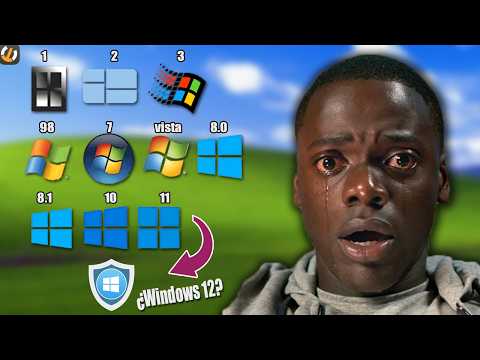
Understanding the history of Windows editions gives you better context for the current lineup. Here is a chronological look at the major Windows releases:
- Windows 1.0 (1985) — The original graphical shell for MS-DOS.
- Windows 3.1 (1992) — Brought widespread commercial adoption and TrueType font support.
- Windows 95 (1995) — Introduced the Start menu, taskbar, and 32-bit computing capabilities.
- Windows 98 / ME (1998–2000) — Consumer-focused updates with improved multimedia and USB support.
- Windows 2000 / XP (2000–2001) — Professional reliability and consumer popularity, respectively.
- Windows Vista (2007) — Introduced Aero Glass, User Account Control, and WDDM drivers.
- Windows 7 (2009) — Widely regarded as one of the most stable and beloved consumer versions.
- Windows 8 / 8.1 (2012–2013) — Brought touch-first design and the Modern UI (later called UWP).
- Windows 10 (2015) — Unified the Windows experience across devices with continuous feature updates.
- Windows 11 (2021–present) — Refined the user experience, introduced Android app support, Snap Layouts, and tighter Microsoft 365 integration.
Expert Tips for Choosing the Right Windows Edition
Selecting the correct Windows edition can be confusing, especially given Microsoft’s layered feature approach. Here are practical recommendations from an expert perspective.
- For home users: Windows 11 Home covers 95% of consumer needs. Unless you need BitLocker or domain joining, there is no reason to upgrade to Pro.
- For small business owners: Windows 11 Pro provides enough security and management tools without the cost of Enterprise licensing.
- For large organizations: Windows 11 Enterprise or LTSC delivers centralized management, enhanced security policies, and long-term stability.
- For developers: Windows 11 Pro with WSL2 (Windows Subsystem for Linux) provides a powerful development environment without needing a separate Linux machine.
- For embedded or kiosk deployments: Windows 11 IoT Enterprise or LTSC offers reliability and long support cycles without unnecessary consumer features.
- For educational institutions: Windows 11 SE or Education provides locked-down, cloud-managed environments ideal for student devices.
Common Misconceptions About Windows Types
One common misconception is that Windows 11 Pro and Windows 11 Enterprise are just rebranded versions of each other. In reality, Enterprise includes dozens of exclusive features that Pro simply does not support, including branch cache optimization, AppLocker policy enforcement, and advanced Windows Update for Business controls. Another misconception is that older versions like Windows 7 or Windows 8 are still safe for daily use. Both operating systems have reached end-of-support status, meaning they no longer receive security patches and are increasingly vulnerable to exploits.
Final Thoughts
The question of how many types of Windows there are does not have a single simple answer because it depends on how you categorize them. By user audience, you can group them into consumer, professional, enterprise, education, IoT, and server categories. By version history, Microsoft has released over fifteen major Windows iterations spanning nearly four decades. The current landscape is more streamlined than ever, with Windows 11 serving as the primary platform and older versions gradually being phased out. Understanding these distinctions empowers you to make informed decisions about licensing, security, and system management — whether you are setting up a single home PC or managing an entire corporate fleet.
Frequently Asked Questions (FAQs)
1. How many different types of Windows operating systems are currently active?
As of 2024, Microsoft has approximately seven active Windows client editions (Home, Pro, Pro for Workstations, Enterprise, Enterprise LTSC, Education, and SE) and three main Windows Server editions (Essentials, Standard, and Datacenter). Including IoT variants, the total number of active Windows types exceeds ten distinct editions.
2. What is the difference between Windows 11 Home and Windows 11 Pro?
The main differences are that Windows 11 Pro includes BitLocker encryption, Remote Desktop hosting, Hyper-V virtualization, domain joining capabilities, and Group Policy editing. Windows 11 Home lacks all of these features and is designed exclusively for individual consumers rather than business environments.
3. Can I upgrade from Windows 11 Home to Windows 11 Pro for free?
No, upgrading from Windows 11 Home to Windows 11 Pro requires purchasing a Pro license key. However, the upgrade process is seamless and does not require a clean installation — your files, apps, and settings are preserved during the transition.
4. Which Windows edition is best for gaming?
Windows 11 Home is the most popular choice for gamers because it includes all the gaming-specific features such as DirectX 12 Ultimate, Auto HDR, Game Mode, and Xbox Game Pass integration. Windows 11 Pro offers no significant gaming advantages unless you need Hyper-V for running virtualized gaming environments or multiple operating systems simultaneously.
5. Is Windows 11 Enterprise available for individual purchase?
No, Windows 11 Enterprise is exclusively available through Microsoft Volume Licensing agreements or Microsoft 365 Enterprise plans. Individual consumers and small businesses cannot purchase it directly from Microsoft. However, IT professionals in qualifying organizations can access it through their company’s licensing program.
6. What Windows version should I use for an older PC that cannot run Windows 11?
If your hardware does not meet the Windows 11 minimum requirements (TPM 2.0, Secure Boot, specific CPU generations), Windows 10 remains a viable option until its October 14, 2025 end-of-support date. After that date, Windows 10 will no longer receive security updates, so planning an upgrade to compatible hardware or migrating to a supported Windows 11 edition is strongly recommended.