In an era where smart homes are becoming the norm and cyber threats continue to evolve, homeowners are increasingly searching for reliable, comprehensive solutions to protect their property, family, and digital assets. AT&T Digital Life Security has emerged as one of the most recognized names in the home security and automation space, offering a blend of professional monitoring, smart device integration, and user-friendly control that appeals to both tech-savvy consumers and everyday homeowners. Whether you are just beginning to explore home security options or looking to upgrade an existing system, understanding what AT&T Digital Life has to offer can help you make an informed decision about safeguarding your home.
Unlike traditional alarm systems that rely solely on sensors and sirens, AT&T Digital Life Security creates an interconnected ecosystem of devices designed to detect, deter, and respond to threats in real time. From smart door locks and security cameras to environmental sensors that alert you to fire or carbon monoxide, the platform delivers a layered approach to protection. This guide dives deep into every aspect of the AT&T Digital Life Security ecosystem, including its core features, pricing structure, competitive advantages, and expert strategies for getting the most out of your investment.
What Is AT&T Digital Life Security?
AT&T Digital Life Security is a comprehensive home security and automation platform developed by AT&T, one of the largest telecommunications companies in the United States. The system leverages cellular connectivity — rather than relying solely on a home’s Wi-Fi or landline — to maintain communication between your security devices and AT&T’s professional monitoring centers. This cellular backbone is a critical differentiator, as it ensures that your system remains operational even during internet outages or if intruders attempt to cut phone lines.
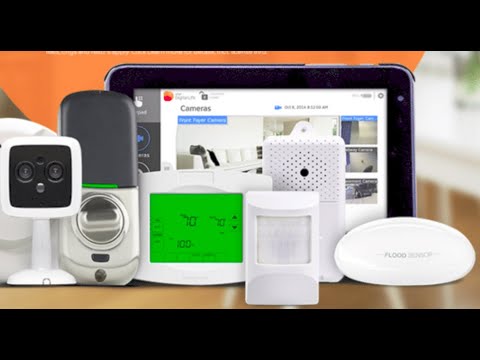
The AT&T Digital Life ecosystem includes a wide range of compatible devices, such as control panels, door and window sensors, motion detectors, glass break sensors, indoor and outdoor security cameras, smart thermostats, smoke detectors, and water leak sensors. All of these devices connect to a central hub, which users can manage remotely through the AT&T Digital Life mobile app or web portal.
Core Features of AT&T Digital Life Security
Professional 24/7 Monitoring and Rapid Response
One of the standout advantages of AT&T Digital Life Security is its access to professional monitoring services. When your system detects an intrusion, fire, or other emergency, alerts are sent to AT&T’s UL-listed monitoring center, where trained agents can dispatch emergency services on your behalf. This 24/7 monitoring means you have peace of mind knowing that help is always on the way, even when you are not home.
The monitoring service also includes cellular backup communication, so your alerts reach the monitoring center through redundant channels. This dual-layer communication strategy significantly reduces the risk of false negatives during emergencies.
Smart Home Automation and Device Integration
AT&T Digital Life goes beyond traditional security by incorporating smart home automation capabilities. Users can connect and control a variety of compatible devices, including:
- Smart door locks — Lock or unlock doors remotely and grant temporary access to guests or service providers
- Security cameras — View live video feeds, receive motion-triggered alerts, and review recorded footage in the cloud
- Smart thermostats — Adjust heating and cooling settings from anywhere to save energy and maintain comfort
- Lighting controls — Schedule lights to turn on or off to simulate occupancy while away
- Environmental sensors — Detect smoke, carbon monoxide, and water leaks before they cause significant damage
This integration allows homeowners to build a customized security and automation setup that adapts to their specific needs and lifestyle preferences.
Mobile App and Remote Control
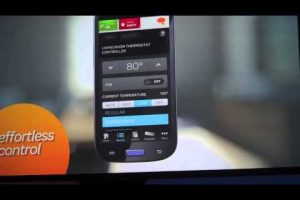
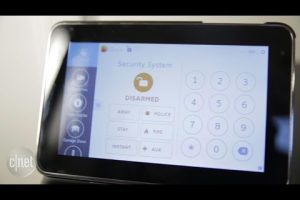
The AT&T Digital Life mobile application serves as the command center for your entire security system. Through the app, users can arm and disarm their system, receive real-time push notifications, view camera feeds, check sensor statuses, and manage smart home devices. The interface is designed to be intuitive, making it accessible for beginners while still offering advanced configuration options for experienced users.
Remote control capabilities mean that you can monitor your home from virtually anywhere with an internet connection. Forgot to arm your system before leaving? No problem — just open the app and secure your home with a few taps.
How AT&T Digital Life Security Stacks Up Against the Competition

The home security market is crowded with options, from dedicated security companies like SimpliSafe and ADT to tech giants like Google Nest and Amazon Ring. Understanding where AT&T Digital Life fits into this landscape can help you evaluate whether it is the right choice for your home.
| Feature | AT&T Digital Life | SimpliSafe | ADT |
| Cellular Backup | Yes | Yes | Yes |
| Professional Monitoring | Yes | Optional | Yes |
| No Contract Option | Limited | Yes | Limited |
| Smart Home Integration | Extensive | Moderate | Extensive |
| Self-Installation | Yes | Yes | Both |
| Monthly Monitoring Cost | Starting ~$42 | Starting ~$15 | Starting ~$28 |
| Equipment Ownership | Lease/Buy | Buy | Lease/Buy |
As the table illustrates, AT&T Digital Life Security occupies a middle ground between budget-friendly DIY systems and premium professional services. Its cellular connectivity and smart home integration are strong selling points, though the monthly monitoring costs tend to be higher than some competitors. The lack of a no-contract option is also worth noting for consumers who prefer flexibility.
Getting Started with AT&T Digital Life Security
Equipment and Installation Options
AT&T Digital Life offers two primary installation paths: self-installation and professional installation. For beginners who prefer a hands-on approach, self-installation is straightforward. The system typically arrives with a central control panel, a hub, and all necessary sensors. Each device includes clear setup instructions, and the mobile app walks you through the pairing process step by step.
For those who prefer professional assistance, AT&T offers installation services through certified technicians. This option is particularly beneficial for homeowners who want a more complex setup involving multiple cameras, integrated smart locks, and networked environmental sensors. Professional installation also ensures that devices are positioned optimally for maximum coverage and detection accuracy.
Expert Tip: Regardless of which installation method you choose, take time during setup to place sensors at vulnerable entry points — such as ground-floor doors, basement windows, and garage entries. Motion detectors should be positioned to cover high-traffic areas without triggering false alarms from pets or moving curtains.
Pricing and Plans Overview
AT&T Digital Life Security offers several service tiers, each with different features and pricing. The entry-level plan typically includes basic monitoring for a selection of sensors and devices, while higher-tier plans unlock additional features such as expanded camera storage, advanced automation rules, and priority emergency response. Equipment costs vary depending on the package selected, with options to lease or purchase devices outright.
- Essential Plan — Covers basic sensors and monitoring at a lower monthly rate
- Advanced Plan — Adds cameras, smart home controls, and enhanced monitoring features
- Premium Plan — Includes full device coverage, extended cloud storage, and priority response protocols
When evaluating the cost, it is important to consider the total cost of ownership over time, including equipment fees, monthly monitoring charges, and any additional subscription services for cloud video storage or advanced automation features.
Advanced Strategies for Maximizing AT&T Digital Life Security
For intermediate and advanced users looking to squeeze every ounce of protection and convenience from their AT&T Digital Life Security system, consider implementing the following expert strategies:
- Layer your defenses. Do not rely on a single type of sensor. Combine door/window sensors, motion detectors, glass break sensors, and camera coverage to create overlapping zones that make it extremely difficult for intruders to bypass your system undetected.
- Use automation rules strategically. Set up schedules that automatically arm your system at night, turn on lights when motion is detected after dark, and adjust your thermostat based on occupancy. These automations not only enhance security but also improve energy efficiency.
- Review and update regularly. Security needs change over time. Periodically review your system configuration, update firmware on all connected devices, and add new sensors as your home layout or family needs evolve.
- Enable two-factor authentication. Protect your AT&T Digital Life account with two-factor authentication to prevent unauthorized access to your system settings, camera feeds, and personal data.
- Integrate with other AT&T services. If you are already an AT&T customer, explore bundling options that may offer discounts on your Digital Life Security subscription or integrate with AT&T’s broader smart home ecosystem.
Is AT&T Digital Life Security Right for You?
AT&T Digital Life Security is an excellent choice for homeowners who value cellular reliability, professional monitoring, and deep smart home integration. It is particularly well-suited for households in areas prone to internet outages or those who want a security system that does not depend on Wi-Fi connectivity. However, if budget is your primary concern or you prefer a no-contract, fully DIY experience, you may want to explore alternatives like SimpliSafe or Frontpoint first.
Ultimately, the right security system depends on your specific priorities — whether that is maximum protection, cost efficiency, ease of use, or seamless smart home compatibility. AT&T Digital Life Security delivers a robust, feature-rich platform that checks many boxes, making it a strong contender in the competitive home security landscape.
Frequently Asked Questions
1. Does AT&T Digital Life Security require a contract? AT&T Digital Life typically requires a service agreement for professional monitoring. The length of the contract may vary, so it is important to review the terms before committing. Some equipment may also be leased rather than purchased outright.
2. Can I use AT&T Digital Life Security without professional monitoring? While AT&T Digital Life is primarily designed around professional monitoring, you can still use the system’s self-monitoring features through the mobile app. However, the full benefits — including automatic emergency dispatch — are available only with an active monitoring subscription.
3. How does AT&T Digital Life Security perform during power or internet outages? Because AT&T Digital Life uses cellular connectivity as its primary communication channel, the system continues to function during internet outages. The control panel also includes a battery backup that keeps the system operational during short power interruptions, ensuring continuous protection.
4. What smart home devices are compatible with AT&T Digital Life? AT&T Digital Life supports a range of smart home devices, including smart locks, thermostats, lighting controls, and sensors from various manufacturers. Compatibility varies by device, so it is advisable to check the AT&T Digital Life supported devices list before purchasing additional hardware.
5. How much does AT&T Digital Life Security cost per month? Monthly monitoring costs for AT&T Digital Life typically start around $42 for the basic plan and increase for advanced tiers with additional features like camera storage and expanded device support. Equipment costs are separate and depend on whether you lease or purchase devices.
6. Is AT&T Digital Life Security easy for seniors or non-tech-savvy users to operate? Yes, AT&T Digital Life is designed with accessibility in mind. The mobile app features a clean, straightforward interface, and the system can be controlled using the physical control panel as well. Professional installation is also available for users who need hands-on assistance setting up their system.
Final Thoughts on AT&T Digital Life Security
AT&T Digital Life Security represents a compelling option for homeowners seeking a mature, well-supported home security and automation platform. Its combination of cellular-backed communication, professional monitoring, and extensive smart device compatibility positions it as a versatile solution for a wide range of household needs. By understanding the features, pricing, and competitive landscape outlined in this guide, you are now equipped to make a confident decision about whether AT&T Digital Life Security is the right fit for protecting what matters most — your home, your family, and your peace of mind.