


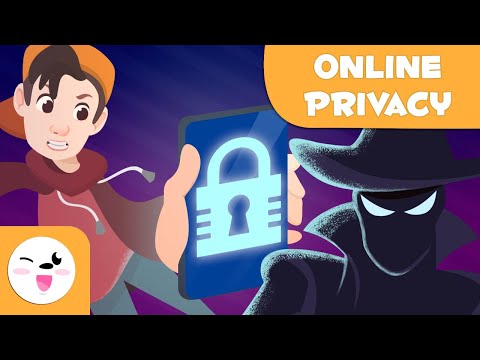
Staying safe online is no longer optional — it is a fundamental digital life skill that everyone needs in 2024 and beyond. Whether you are checking email, shopping online, or managing finances, your personal data faces constant threats from cybercriminals, malware, and social engineering attacks. Advice for staying safe online is not just about installing antivirus software or avoiding suspicious links; it is about building a layered defense strategy that protects your identity, your privacy, and your finances across every device you use. This comprehensive guide delivers beginner-friendly essentials, intermediate best practices, and advanced techniques so you can browse, shop, and communicate with confidence. If you have ever wondered how to protect yourself from hackers, scammers, or data breaches, you are in the right place.
Understanding the Modern Online Threat Landscape
Before diving into specific protective measures, it helps to understand what you are actually defending against. Cyber threats have evolved dramatically over the past decade, becoming more sophisticated and harder to detect. Knowing the common attack vectors empowers you to recognize danger before it becomes a problem.
Common Types of Online Threats

- Phishing attacks — fraudulent emails, text messages, or websites designed to trick you into revealing passwords, banking details, or personal information.
- Malware and ransomware — malicious software that infects your device, steals data, or locks your files until a ransom is paid.
- Man-in-the-middle attacks — intercepting communication between you and a website, especially on unsecured Wi-Fi networks.
- Identity theft — criminals stealing your personal information to open accounts, make purchases, or commit fraud in your name.
- Data breaches — when companies you trust suffer security failures, exposing your credentials and private data on dark web marketplaces.
Why Beginners Underestimate These Risks
Many people assume cyberattacks only target corporations or high-profile individuals. In reality, everyday internet users are the most frequently targeted because they tend to have weaker security practices. Cybercriminals use automated tools that cast a wide net, and even a small lapse — like reusing a password or clicking a deceptive link — can expose your entire digital life. Understanding this reality is the first step toward staying safe while browsing the internet with genuine confidence.
Essential Security Habits for Everyday Internet Users
If you are new to online security, start with these foundational habits. They require minimal technical knowledge but deliver maximum protection against the most common threats.
1. Keep Your Software Updated
Operating system updates, browser patches, and app updates are not just about new features — they often include critical security fixes for known vulnerabilities. Enable automatic updates on your computer, smartphone, and tablet so you are always protected against the latest exploits.
2. Use a Reputable Antivirus and Firewall
A quality antivirus program detects and removes threats in real time. Pair it with your operating system’s built-in firewall to create a strong first line of defense. Popular options include Bitdefender, Norton, and Kaspersky, but even free solutions like Windows Defender provide solid baseline protection for most users.
3. Verify Before You Click
Phishing remains the number one entry point for cyberattacks. Before clicking any link, hover over it to preview the URL. Check the sender’s email address carefully — misspellings like “[email protected]” are red flags. When in doubt, navigate directly to the website by typing the address into your browser instead of following a link.
4. Avoid Public Wi-Fi for Sensitive Tasks
Free Wi-Fi in cafes, airports, and hotels is convenient but inherently risky. Hackers can easily intercept unencrypted traffic on these networks. If you must use public Wi-Fi, always connect through a trusted virtual private network (VPN) to encrypt your data and mask your IP address.
Advanced Protection Strategies for Power Users
Once you have mastered the basics, it is time to level up your defenses with strategies that go beyond the ordinary. These techniques significantly reduce your attack surface and give you enterprise-grade protection on a personal level.
Enable Multi-Factor Authentication Everywhere
Multi-factor authentication (MFA) adds a second verification step beyond your password. Even if a hacker steals your login credentials, they cannot access your account without the secondary factor. Use authenticator apps like Google Authenticator, Authy, or a physical security key like YubiKey for the strongest protection. Avoid SMS-based 2FA when possible, as it is vulnerable to SIM-swapping attacks.
Use a Password Manager
Managing dozens of unique, complex passwords in your head is impossible. A dedicated password manager like Bitwarden, 1Password, or Dashlane generates, stores, and auto-fills strong passwords for every account. This eliminates the dangerous habit of password reuse, which is one of the leading causes of account compromises.
Secure Your Home Network
Your router is the gateway to every device in your home. Change the default administrator password, switch to WPA3 encryption if available, disable WPS, and regularly check for firmware updates. Consider creating a separate guest network for visitors and IoT devices so they do not have access to your primary computers and smartphones.
Encrypt Your Communications
Use end-to-end encrypted messaging apps like Signal or WhatsApp for sensitive conversations. For email, consider services that offer built-in encryption or use PGP keys for maximum privacy. Encrypting your data ensures that even if it is intercepted, it remains unreadable to unauthorized parties.
Password Security and Authentication Best Practices
Your passwords are the keys to your digital life. Weak or reused passwords are the easiest target for attackers using credential-stuffing tools that test billions of stolen combinations every second.
- Create long passphrases — a sequence of four to six random words is both memorable and exponentially harder to crack than a short complex password.
- Never reuse passwords across different accounts. A breach on one site can cascade into compromised accounts everywhere else.
- Change passwords immediately if you learn that a service you use has suffered a data breach.
- Store passwords securely — use a reputable password manager rather than writing them down on paper or saving them in a browser.
Not all authentication methods are created equal. The table below compares common approaches so you can make informed decisions about your online safety.
| Authentication Method | Security Level | Convenience | Resistance to Phishing |
| Password Only | Low | High | Very Low |
| SMS-Based 2FA | Medium | High | Low (vulnerable to SIM swap) |
| Authenticator App (TOTP) | High | Medium | Moderate |
| Hardware Security Key (FIDO2) | Very High | Medium | Very High |
| Biometric Authentication | Medium-High | Very High | Moderate |
The clear winner for protecting your personal data on the internet is combining a password manager with a hardware security key. This pairing is resistant to phishing, replay attacks, and credential theft, making it the gold standard for personal cybersecurity.
Social Media Safety and Privacy Management
Social media platforms are goldmines of personal information for attackers. Oversharing details like your location, travel plans, workplace, or family members gives scammers the building blocks they need for targeted attacks and social engineering.
- Review your privacy settings regularly and restrict who can see your posts, friend list, and profile information.
- Limit personal details in your bio — avoid sharing your phone number, home address, or birth date publicly.
- Be skeptical of friend requests from people you do not recognize, and never accept invitations from suspicious accounts.
- Think before you post — once something is online, it can be screenshotted, shared, and used against you permanently.
- Enable login alerts so you are notified immediately if someone tries to access your accounts from an unfamiliar device.
Following these social media practices is a critical component of online safety tips for beginners and remains essential for experienced users who want to minimize their digital footprint.

How to Recognize and Avoid Phishing Attacks
Phishing has become the most prevalent cyber threat, and its methods continue to grow more convincing. Attackers now use AI-generated voice clones, deepfake videos, and hyper-realistic fake websites to deceive even cautious users. Here is how to spot the signs:
- The message creates a sense of urgency — “Your account will be closed in 24 hours” is a classic pressure tactic.
- The sender’s email domain looks slightly off — “[email protected]” instead of “[email protected].”
- The email contains unexpected attachments or links, especially from companies you do not do business with.
- The website URL begins with “http” instead of “https” or uses a misspelled domain name.
- You are asked to provide sensitive information like passwords or social security numbers via email or text.
When how to avoid phishing attacks online is on your mind, remember the golden rule: never act on an unexpected request for sensitive information without independently verifying its authenticity through a known, trusted channel.
Protecting Children and Vulnerable Family Members Online
If you have children, elderly parents, or other vulnerable family members using the internet, your security responsibility expands. Young users are particularly susceptible to grooming, cyberbullying, and accidental exposure to inappropriate content. Older adults are frequently targeted by tech support scams and romance fraud.
- Use parental controls and content filters on devices and home networks.
- Have open conversations about online safety without being overly restrictive, which can push children to hide their online activity.
- Set up monitoring tools that alert you to unusual account activity or potential contact from predators.
- Teach critical thinking — help family members understand that not everything online is true and that offers that seem too good to be true almost always are.
Best Practices for Cybersecurity at Home — Quick Reference
| Action | Difficulty | Impact |
| Enable MFA on all accounts | Easy | Very High |
| Use a password manager | Easy | Very High |
| Update all software regularly | Easy | High |
| Install a VPN for public Wi-Fi | Easy | High |
| Secure your home router | Medium | High |
| Use encrypted messaging apps | Easy | Medium |
| Perform regular security audits | Medium | High |
| Back up data offline | Medium | Very High |
Conclusion
Advice for staying safe online ultimately comes down to building consistent habits and staying informed about emerging threats. You do not need to be a cybersecurity expert to protect yourself — you just need to be intentional. Start with the essentials like strong passwords, multi-factor authentication, and software updates, then progressively adopt advanced strategies like hardware security keys and encrypted communications. Every layer of protection you add makes it significantly harder for attackers to compromise your digital life. Take action today, revisit these practices regularly, and treat your online safety as an ongoing commitment rather than a one-time setup. The internet offers incredible opportunities, and with the right precautions, you can enjoy all of them without compromising your security or privacy.
Frequently Asked Questions

1. What is the single most important thing I can do to stay safe online?
Enabling multi-factor authentication on all your important accounts is the single most impactful step you can take. It dramatically reduces the risk of unauthorized access even if your password is compromised, making it the cornerstone of effective personal cybersecurity.
2. How can I tell if a website is safe to enter my personal information?
Check that the URL begins with “https” and displays a padlock icon in the address bar. Verify the domain name is spelled correctly and matches the legitimate company. Use tools like VirusTotal or Google Safe Browsing to scan unfamiliar URLs before entering any data.
3. Is using a VPN enough to keep me safe on public Wi-Fi?
A VPN significantly improves your security on public networks by encrypting your traffic, but it is not a complete solution. You should still avoid accessing sensitive accounts on unsecured networks when possible, keep your software updated, and disable file sharing on your device.
4. How often should I change my passwords?
You do not need to change passwords on a fixed schedule unless you suspect a breach. Instead, focus on using long, unique passwords for every account and change them immediately when a service you use reports a data breach or if you notice any suspicious activity on your account.
5. What should I do if I think I have been scammed online?
Act immediately. Change your passwords for the affected accounts, enable MFA if you have not already, contact your bank if financial information was involved, and report the incident to the appropriate authorities such as the FTC or your local cybercrime unit. Monitoring your accounts for unusual activity in the weeks following an incident is also critical.